
Redeem Coupon
At any given time, the lottery may run a promotion that generates a free Draw Game. These coupons can be scanned and redeemed at any GT-1200.

Redeeming Coupons:
- Retailers can navigate to the Redeem Coupon Button by pressing the Draw Games Functions button then Redeem Coupon.
- Once the Redeem Coupon Button is pressed, a new screen will appear guiding Retailers to Scan the Coupon or Enter the Coupon’s Serial Number.
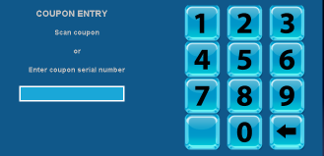
- After scanning Coupon’s barcode or entering the serial number, the GT-1200 will bring the Retailer to the purchase screen of the Draw Game for that promotion where the player’s free ticket and wager created.
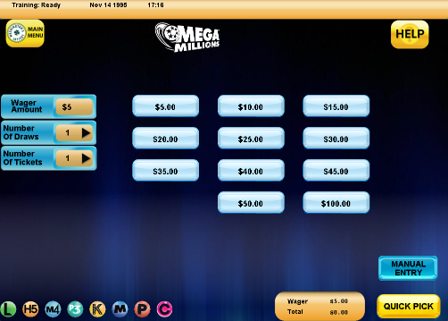
- Press Manual Entry or Quick Pick to complete transaction.
Example of Coupon:
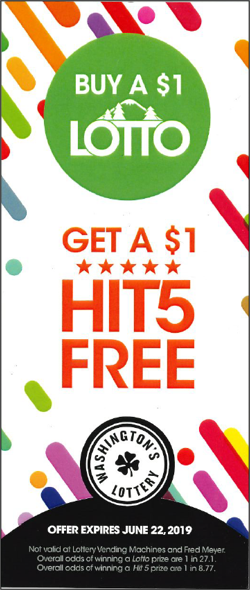
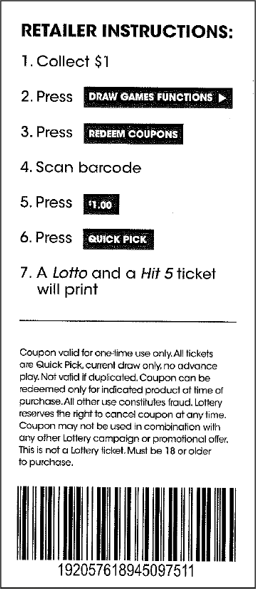
Note: Washington’s Lottery coupons will typically have instructions listed on the back. Retailers should follow these steps as indicated.
Draw Functions Cancel

- Mega Millions, PowerBall and Cash POP can not be canceled.
- No tickets associated with Bundle Pack purchases
- No tickets that qualify for and promotion.
- Draw Game Tickets cannot be cancelled after the draw has occurred.
Draw Functions Pay
The Pay Draw Games Function on the GT-1200 terminal is used to validate and payout on winning Draw Game tickets.

Draw Game Validation and Payout Process
- Access the Draw Game Pay button as described above. The Validate window will appear.
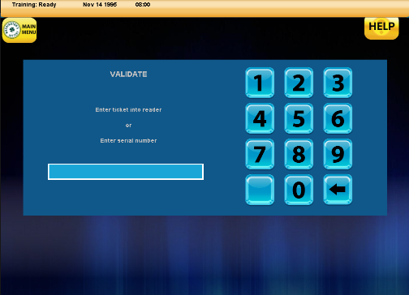
- With the Validate window open, Retailers can either enter the Draw Game ticket into the GT-1200 reader on top of the machine or manually enter the Draw game serial number.
Scanning Draw Game Tickets
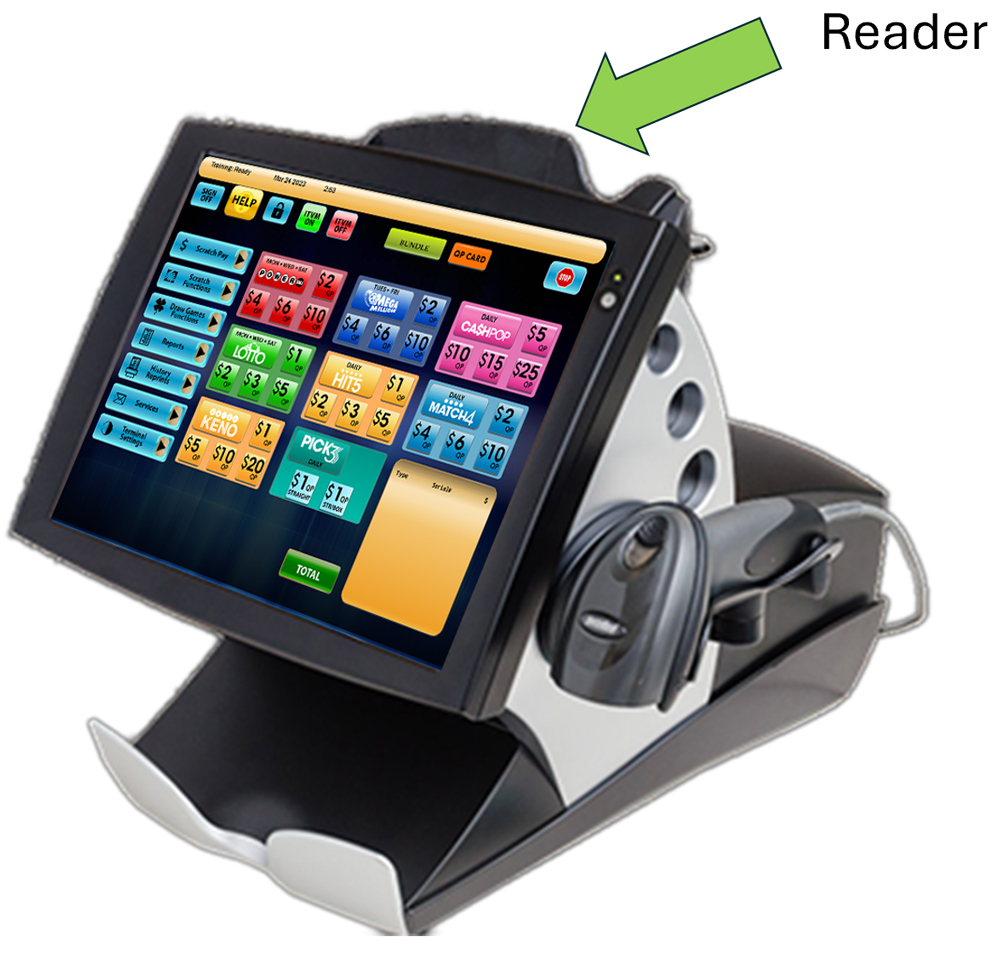
Retailers can utilize the GT-1200 Ticket Reader located on top of the terminal machine to quickly scan and validate tickets.
Manual Serial Number Entry
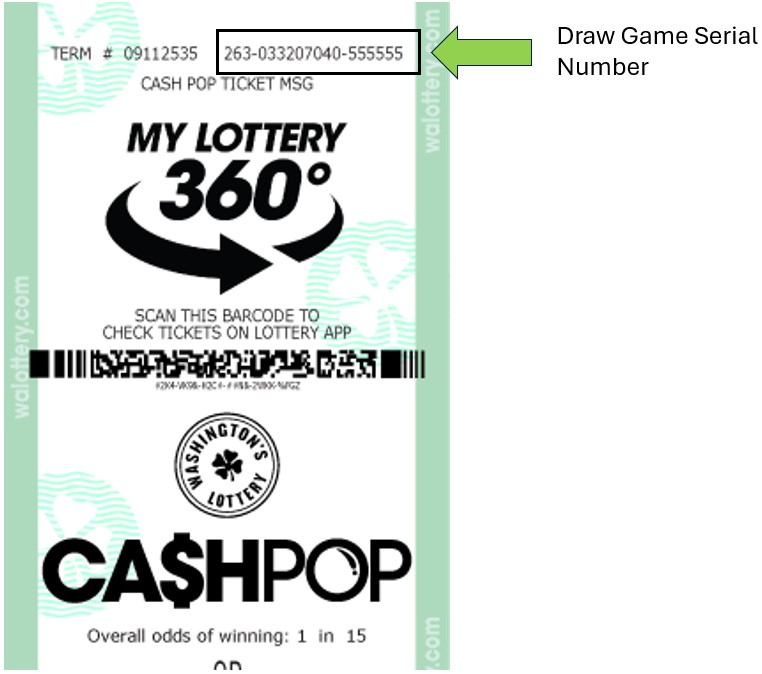
Retailers can also manually enter the serial number of a Draw Game, located at the top of each ticket.
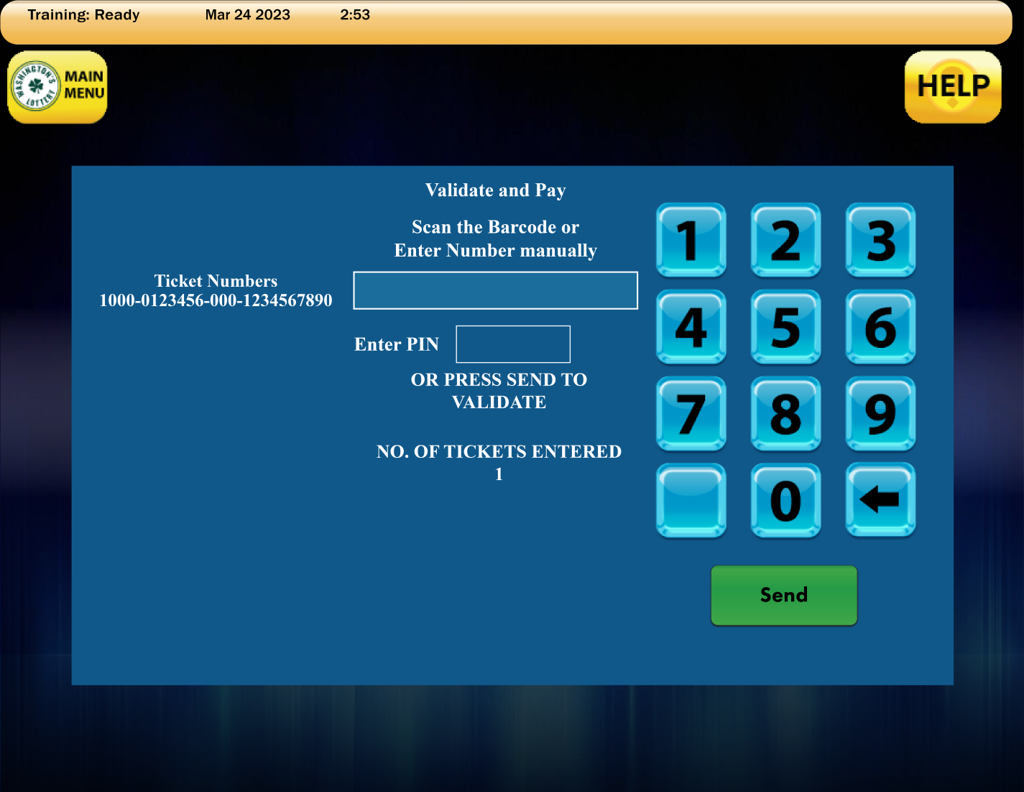
3. After scanning or manually entering a Draw Ticket, press SEND. 
Winning Ticket – Draw Game Validation and Payout
- If a winning ticket was entered, a SCRATCH VALIDATION receipt will print from the GT-1200.
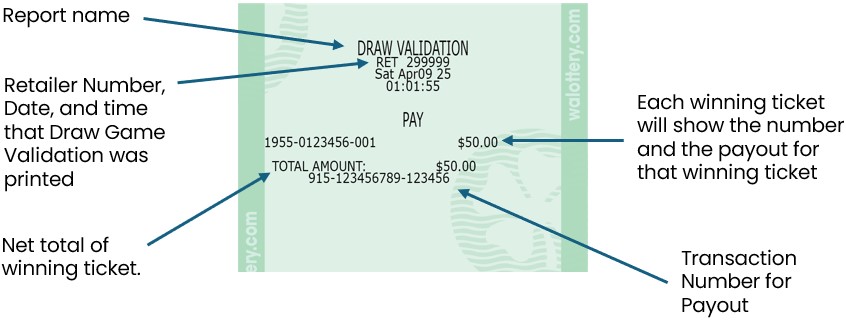
- For validations totaling from $101 up to $600, a confirmation screen displays.
- Retailers must ensure enough cash is available to payout tickets before they are validated.

- Retailers must ensure enough cash is available to payout tickets before they are validated.
- Touch Yes to validate.
- Before paying a prize, Retailers must validate all tickets.
- Retailers MUST PAYOUT AT TIME OF VALIDATION.
- Touch No to cancel.
NOTES:
- Retailers must ensure that they have enough cash on-hand to pay out any validated ticket under $100.
- For prizes over $600, Claim Instructions print automatically.
If the ticket will not validate for ANY reason, it must be returned to the player and have player contact the Lottery for instructions.
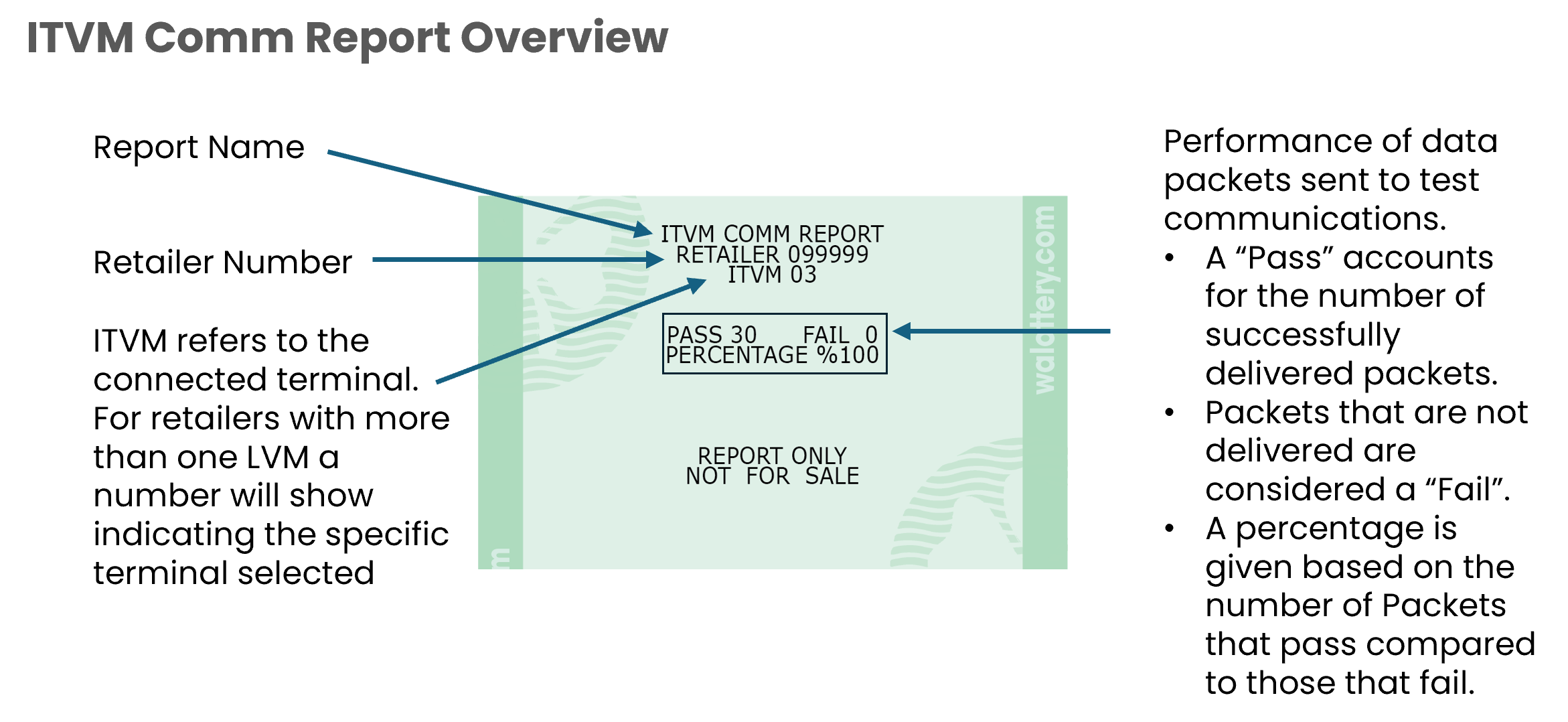
Self Service ITVM: ITVM Comm Report
The Comm Report shows the status of the communications connection of the Lottery vending machine (LVM) or Self-Service Terminal (SST). When generating this report the LVM/SST will send various Data Packets via the network. Depending on if these packets are delivered or not will result in a pass or fail, and an overall percentage is provided.

Abbreviations Glossary
ITVM : Instant Ticket Vending Machine
LVM : Lottery Vending Machine
SST : Self Service Terminal