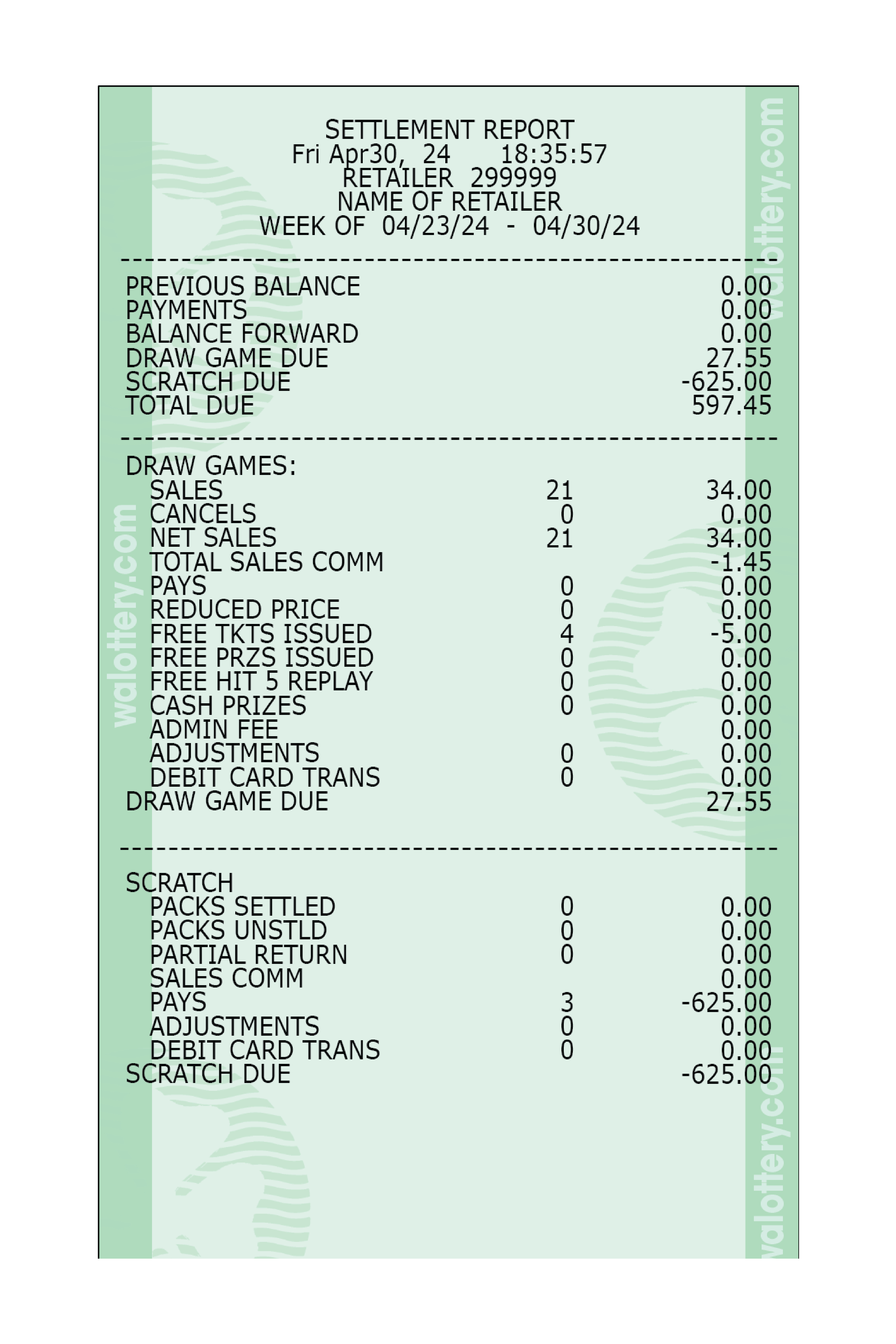
Settled Pack Detail
Provides Lottery accounting information on the Draw and Scratch books settled for the current week.



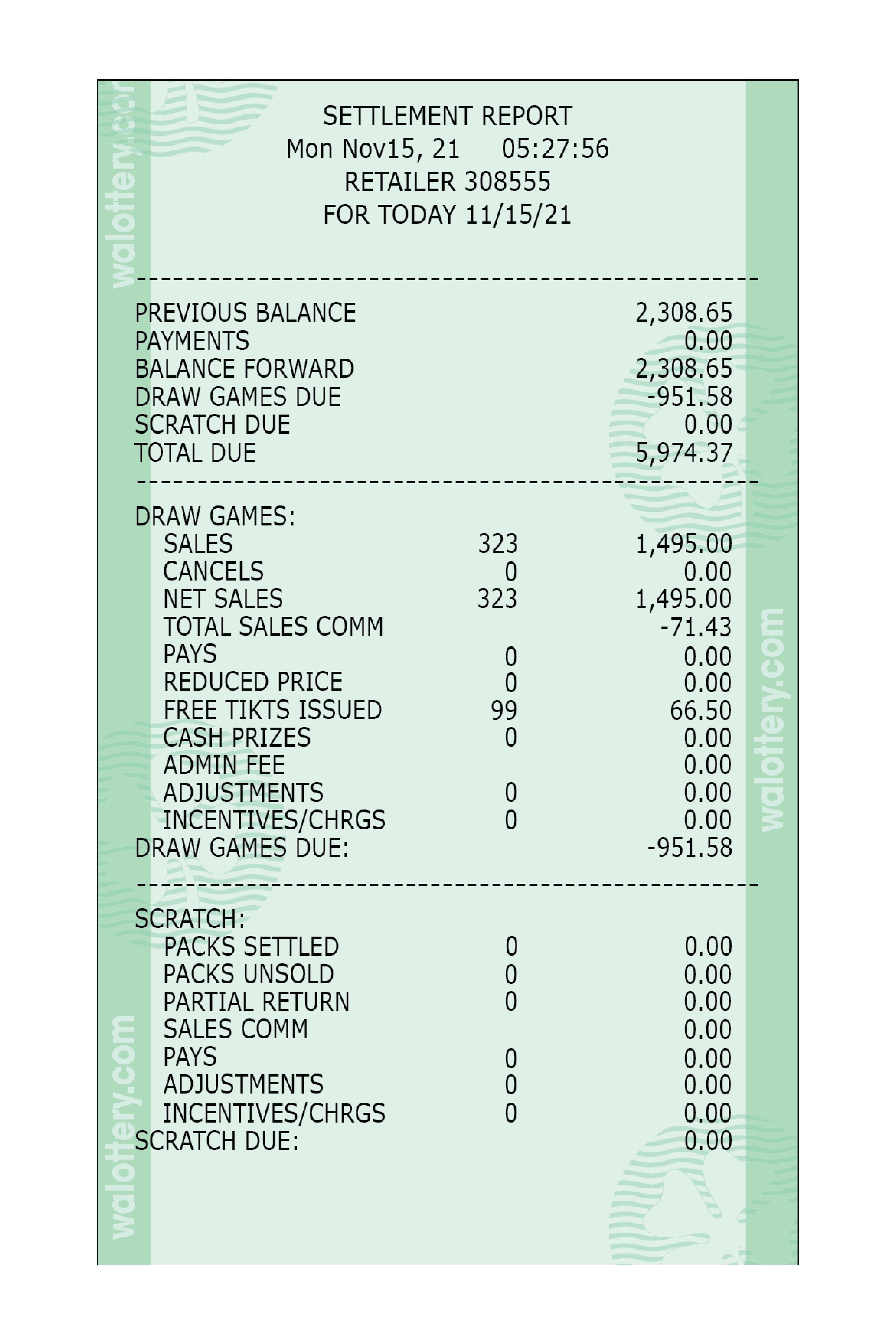
- This report shows packs that have been settled, not the derived packs.
- Report lists Game-Pack and Date.
Inventory Detail
Provides detailed information of books that belong to the retailer. It lists the Game, Pack (book) and Status.

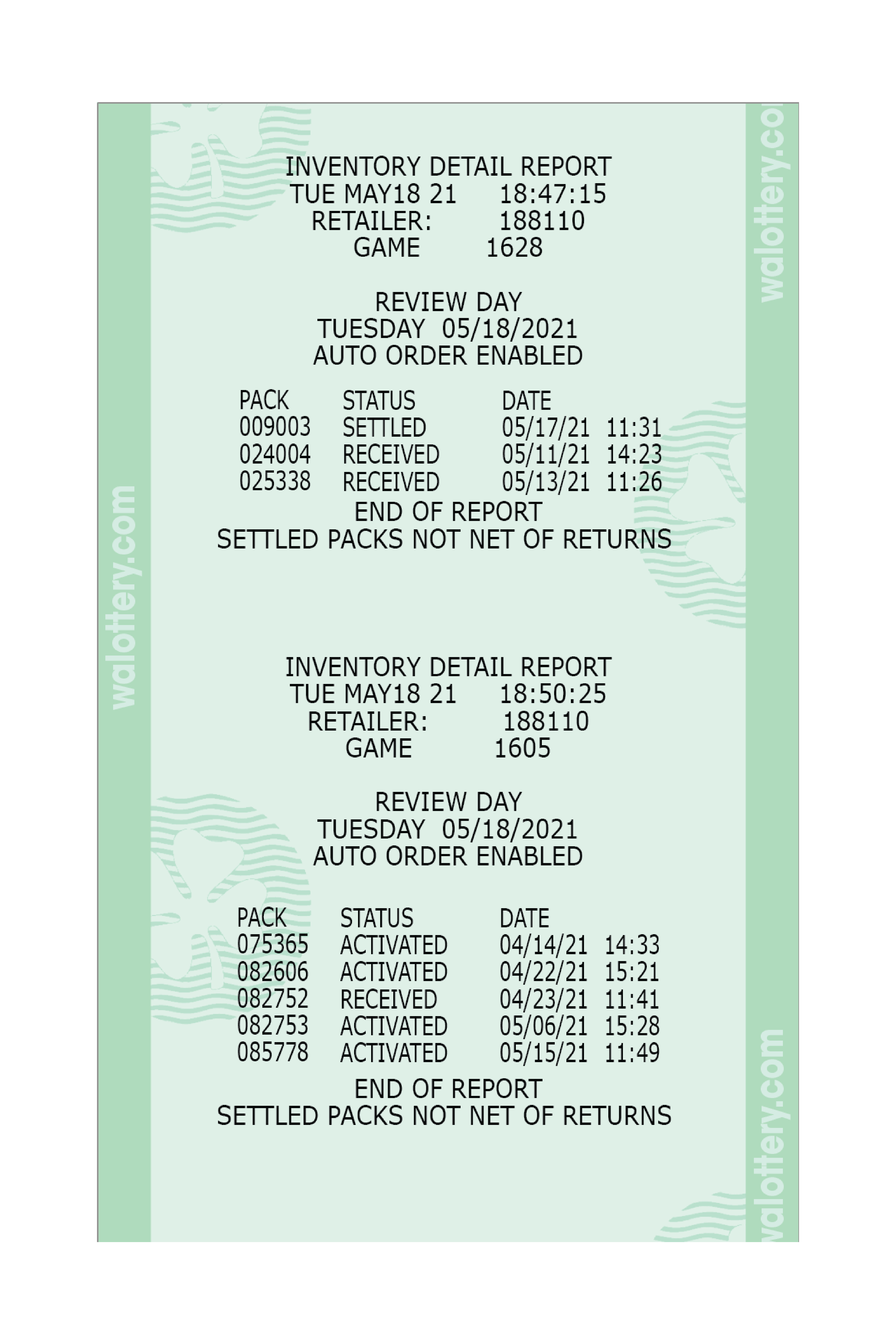
- Displays individual game detail on scratch ticket inventory.
- Report will list specific pack numbers for game and status change dates.
Inventory Summary Report
Provides Scratch Ticket inventory status summary by price point.

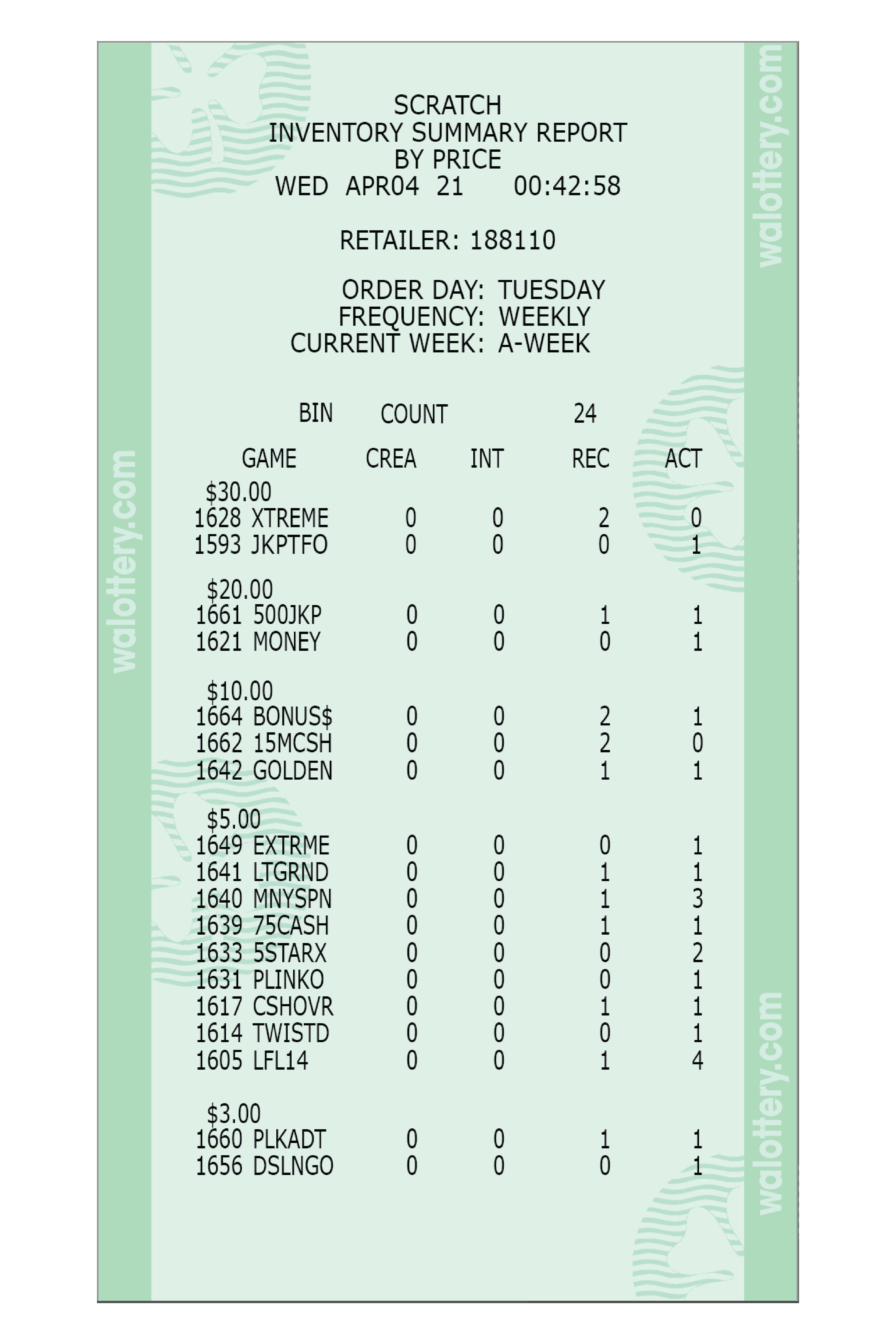
CREA or Created
-
- Lists any scratch tickets that were ordered, but have not yet shipped
INT or In-Transit
-
- Lists packs being shipped out to your location
- Ticket packs are considered “in-transit” when packs are assigned to a retailer, packaged at the warehouse, and then shipped
- Scratch packs will remain “in-transit” until the retailer “receives” the shipment
REC or Received Status
-
- Scratch packs in inventory that are not being sold (back stock)
- REC tickets have not been activated
- Old packs will be picked up by DSR
- Tickets in REC status have not been charged to lottery account
ACT or Activated Status
-
- Packs that are being sold, but have not Settled
- Packs will automatically Settle based on the 80% / 50 Day Rule.
Notes:
-
- Settled packs are not shown on this report
- Report listing pack status by price point and game number can be used to help track scratch pack inventory status.
- Retailers are not billed for ticket packs in “Received” or “In Transit” status.
Lists balance from last invoice period, EFT payments, cancels, net sales, sales commission, cashed other, promotions, administration fees, adjustments and amount due information for given invoice period and retailer. Use to verify invoice period financial data for specified retailer.


- Tracks lottery accounting.
- Lists amount being charged or deposited into the lottery account for a given week
- Lottery Accounting Week Starts Sunday & Ends Saturday
- Electronic Funds Transfer (EFT) sweep every Tuesday
- Can be generated for up to 180 days back
- Input 8-digit date or send for current week
- Current will be the previous Sunday through Saturday (print example)
- Lists balance from previous week
- “Total Due” in first section of report is the EFT sweep total for given week
- Sum of “Draw Games Due” and “Scratch Due” for the given week
- Totals come from draw games sales, payouts, and settled packs