
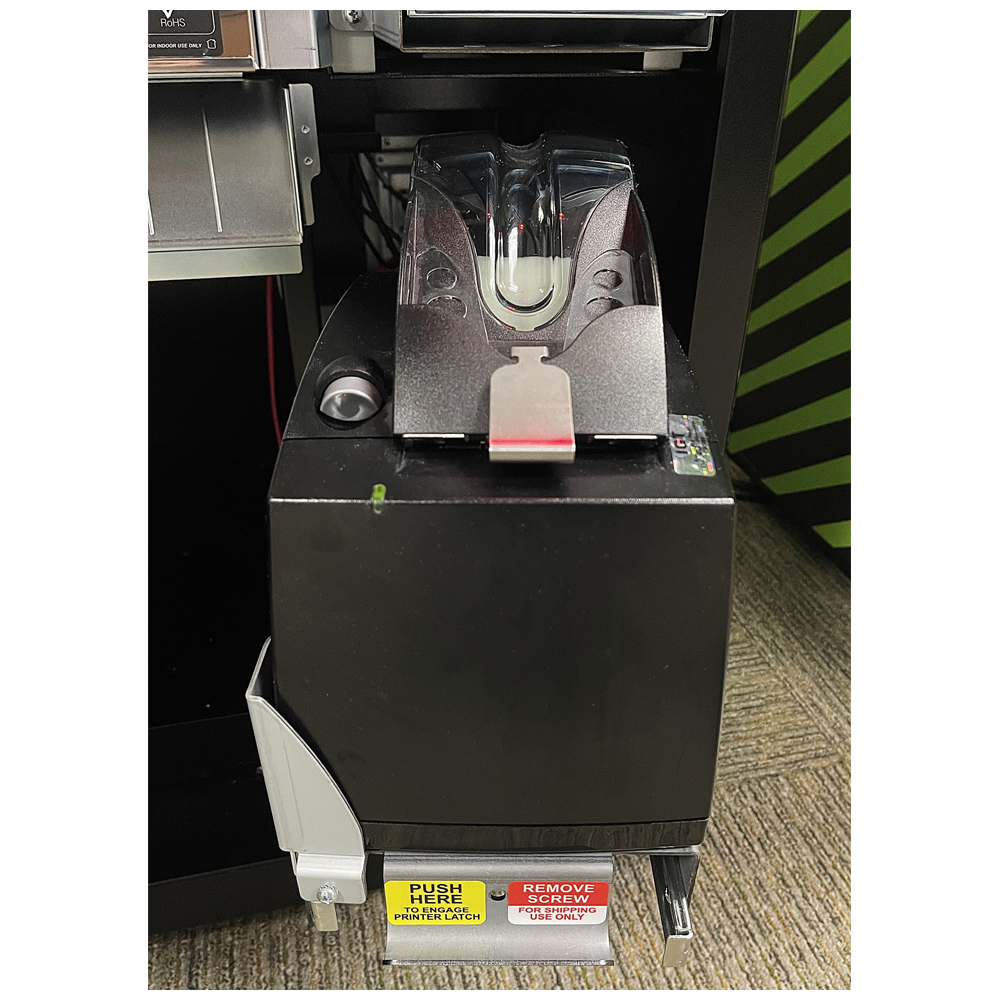
Gemini Touch 24/28
Accutherm Printer

Gemini Touch 28C
Printer
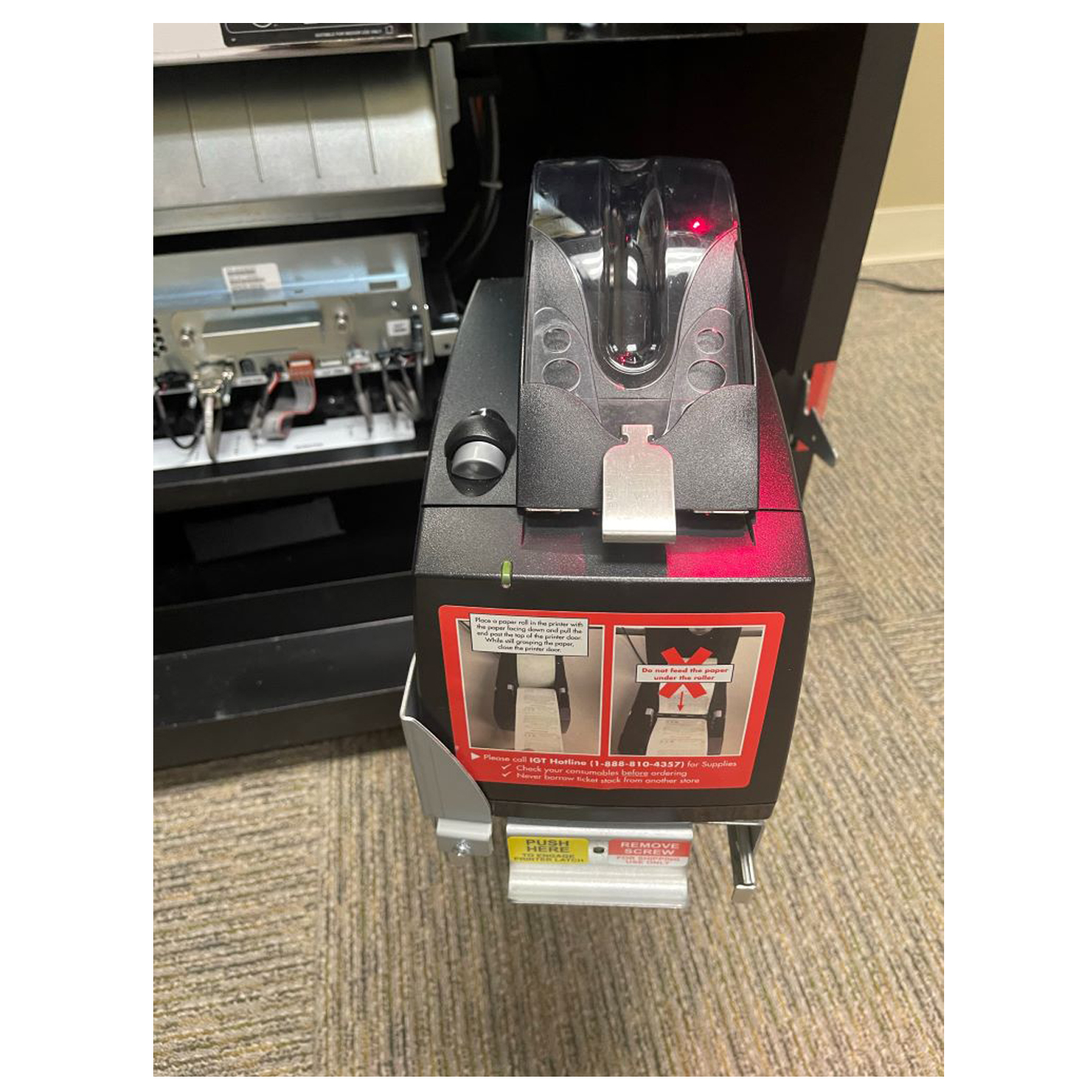
G20 Accutherm
Printer
Scratch Tickets – Loading Bins
Loading Scratch Tickets
Loading Partial Packs
When loading Scratch tickets into the GT_24 or GT_28 terminals, Retailers will need to perform the following steps before loading the physical tickets into a Bin:
- Open the terminal’s main ticket shoot cabinet door and disarm the terminal’s alarm.
- Open the waterfall door. Once open, Retailers will have access to all scratch ticket bins.
- Using the Green tab on the left, release and pull open the drawer with the desired Bin that the tickets will be loaded into.
- Using the Terminal Touchpad and the Manager Menu, Press Scratch Functions and then Scratch Ticket Management
- The Ticket Management Screen will have a representation of all the Bins on the left-hand side.
- Select the Bin number on the screen that the tickets will be loaded into.
- Press Load Tickets
- Manager Menu screen will ask the Retailer to scan or enter the first ticket number.
- Scan the first ticket in the pack and then Press the Checkmark button to confirm.
- Select Full Pack when loading an unused pack, or Partial Pack for packs of tickets that have already been purchased from.
- Loading Partial Packs will require another scan of the last scratch ticket in the pack being loaded.
- Once the Scratch ticket pack has been successfully scanned, the game’s information will be added and displayed for the Bin selected.
After the Scratch ticket information is successfully added to the Bin, it’s time to load the physical tickets.
- Place the pack of Scratch tickets into the desired Bin (ensure the scratch tickets are being loaded into the correct Bin that was selected with scanning the tickets into the system)
- Pull and guide the top ticket of the pack of tickets under the lip of the tray located in the front of the drawer and past the sensor switch, located near the rollers.
- If done correctly, the rollers will grab the Scratch ticket.
- Pat the tickets down and close the drawer.
- Shut the waterfall door.
- Close and lock the terminal’s main ticket shoot door.
- Once the terminal door closes, the machine will reinitiate and the newly loaded tickets will be available for sale.
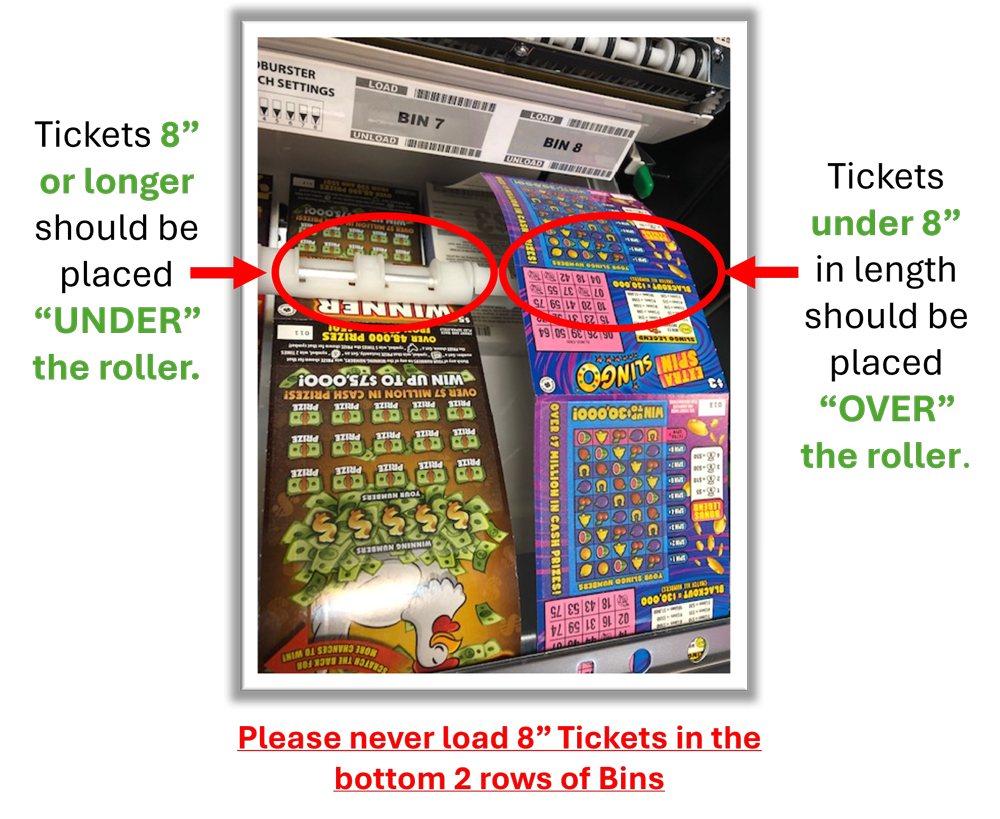
Optimizing Performance of Self-Service Terminals:
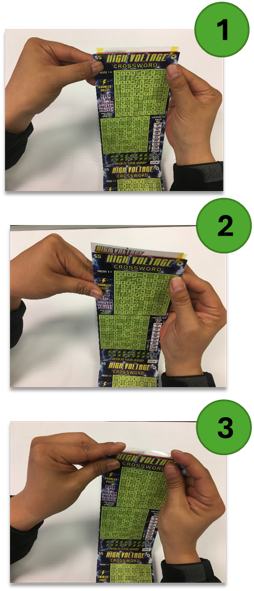
Load Tickets 8” or Longer with the “Under-Over” Method:
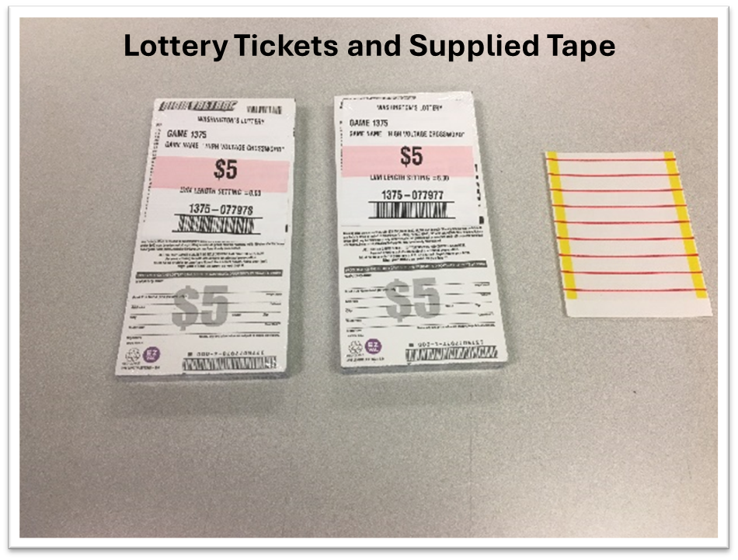
Taping tickets
When using Tape for multiple packs, place the tape on the front side of the Scratch tickets, matching the perforation on the tape with those between the tickets
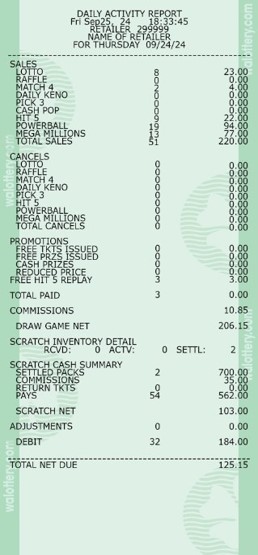
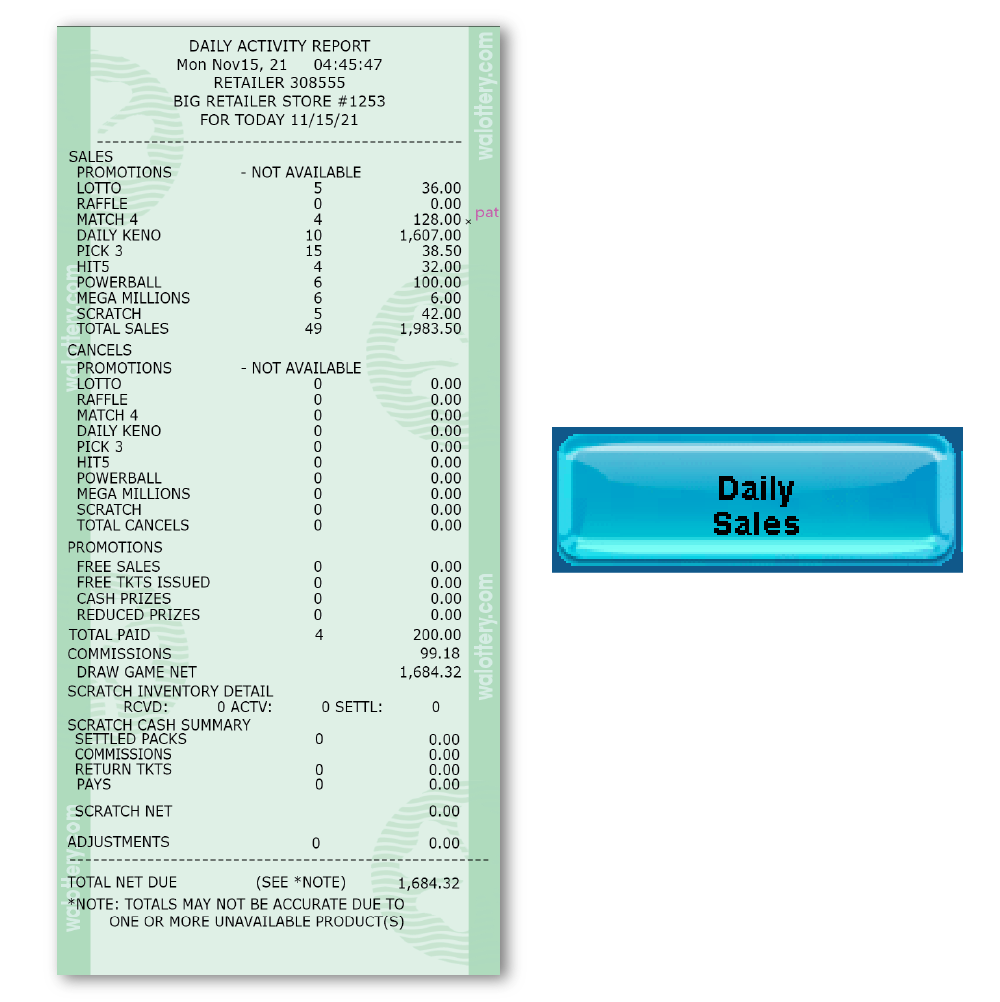
Daily Activity Report
The Daily Activity Report can be generated two ways:
- Daily Sales Activity Reports – Daily total sales and counts for all Lottery terminals at a single location.
- Daily Term Activity Reports – Separated daily sales and counts for individual Lottery terminals at a single location.
When ran, the Daily Activity Report displays Sales and Transaction counts for both GT1200 and/or self-service Lottery vending machines.
- Reports can be printed for up to 180 days back.
- Displays separate payout totals for both Draw and Scratch game sales and transactions.
- Includes cancelations and promotion transactions
- Does not track the individual scratch ticket sales by game
- A line is added for Debit Card transaction on all reports. This total includes both Scratch and Draw Debit transactions.
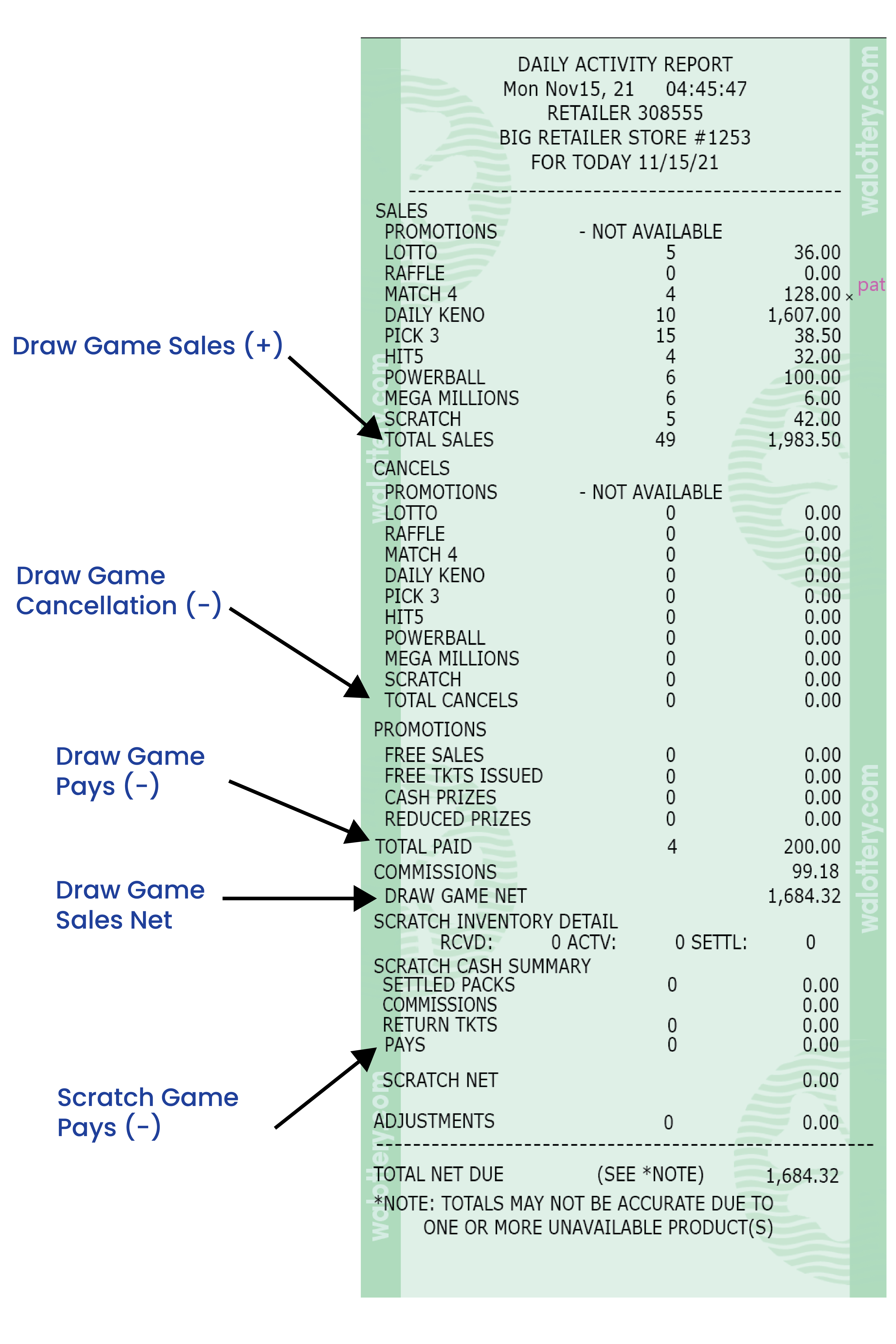
NOTE: When running the Daily Activity report for the current day, amounts will be accumulated from the time of that morning’s sign-on until the time the report was generated.
-
- This report is date specific, with amounts accumulated throughout the day.
- Most current will be from that current morning’s sign-on until the time the report is generated.
Daily Activity Reports:
Daily Sales Activity Reports : Net Sales and Counts for All Site Lottery Terminals
Running Daily Activity Reports using the Daily Sales button in General Reports will display the net total sales and transaction counts for all Lottery terminals located on-site.
Daily Term Activity Reports : Individual Terminal Sales and Counts
Retailers can generate separate Daily Activity Reports with individual terminal sales by using the Daily Term Activity button, located in Reports then Lotto to Go Reports.

For Retailers with multiple Lottery Terminals, this report breaks out Draw and Scratch game transactions individually on a separate report.
To Generate a Daily Activity Report for an individual Lottery terminal:
- Select the desired date of the Report.
- Enter the terminal ID number
- GT1200 Lottery terminal = Retailer Number + 00
- Lottery Self-Service Vending Machines = Retailer Number + 01, 02, or 03 (etc.) depending on the desired terminal.
Please Note: There are some terminals exceptional to this rule and the terminal ID can be found on any sales reports from the Lottery Vending Machine
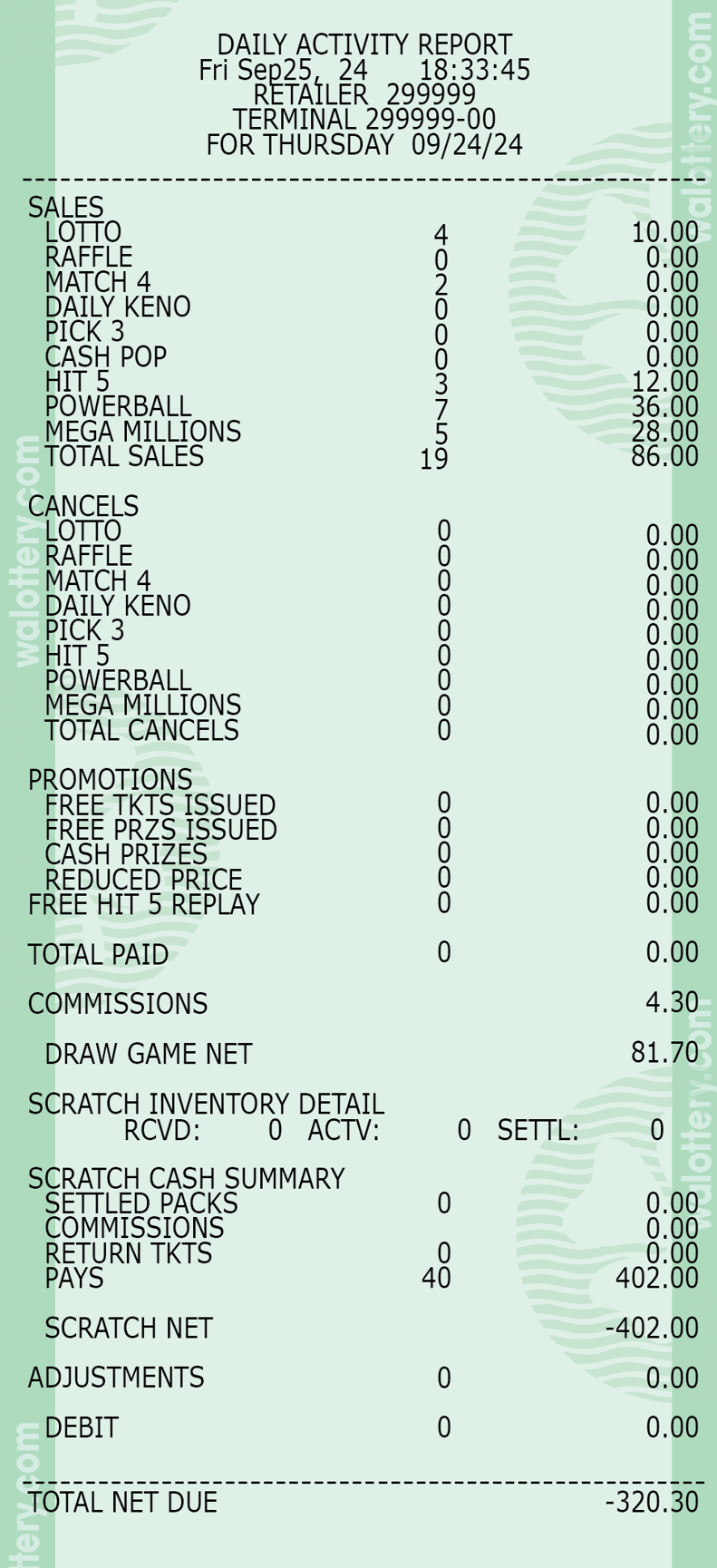
GT-1200 Terminal Only –
Daily Term Report
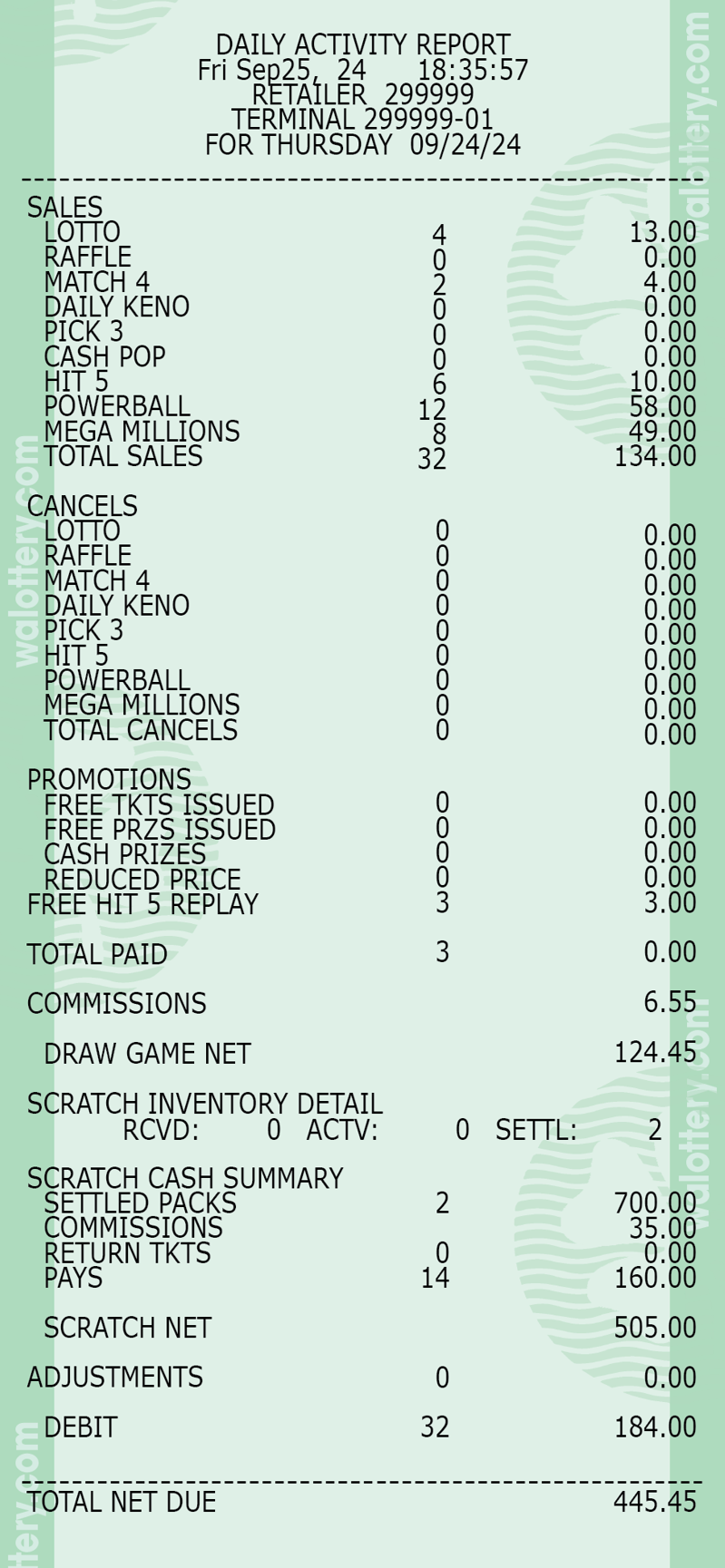
Self Service Terminal Only -
Daily Term Report
Daily Sales Activity Reports : All Terminal Sales and Counts



Retailers will be asked to enter the desired date for the report. Press SEND to generate report.
- For retailers with multiple Lottery Terminals, this report will include the net totals of all terminals combined.
All Terminals On Site –
Daily Sales Report
Shift Report
Daily Activity Report