
Receiving Scratch Ticket Packs
-
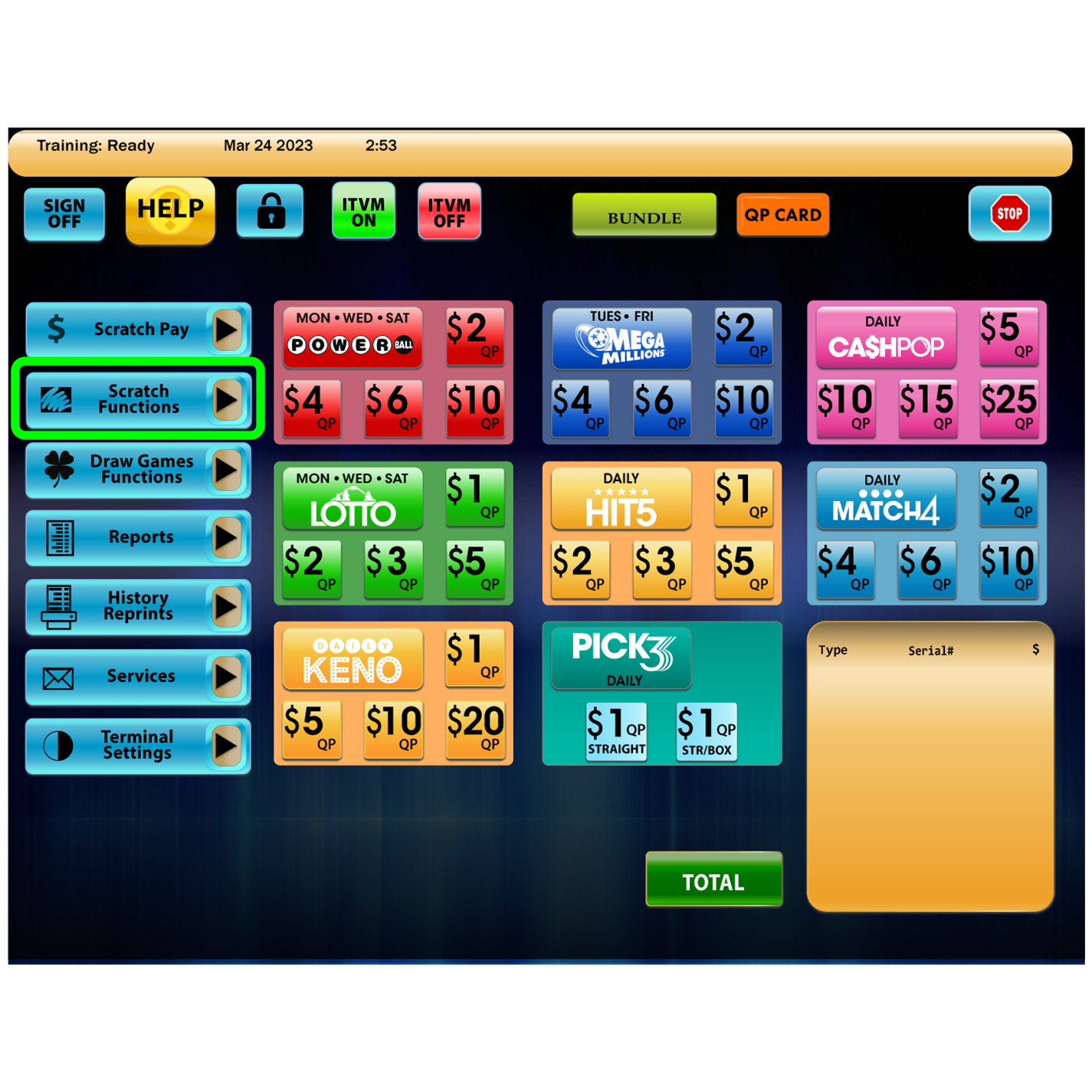
Touch Scratch Functions.
-
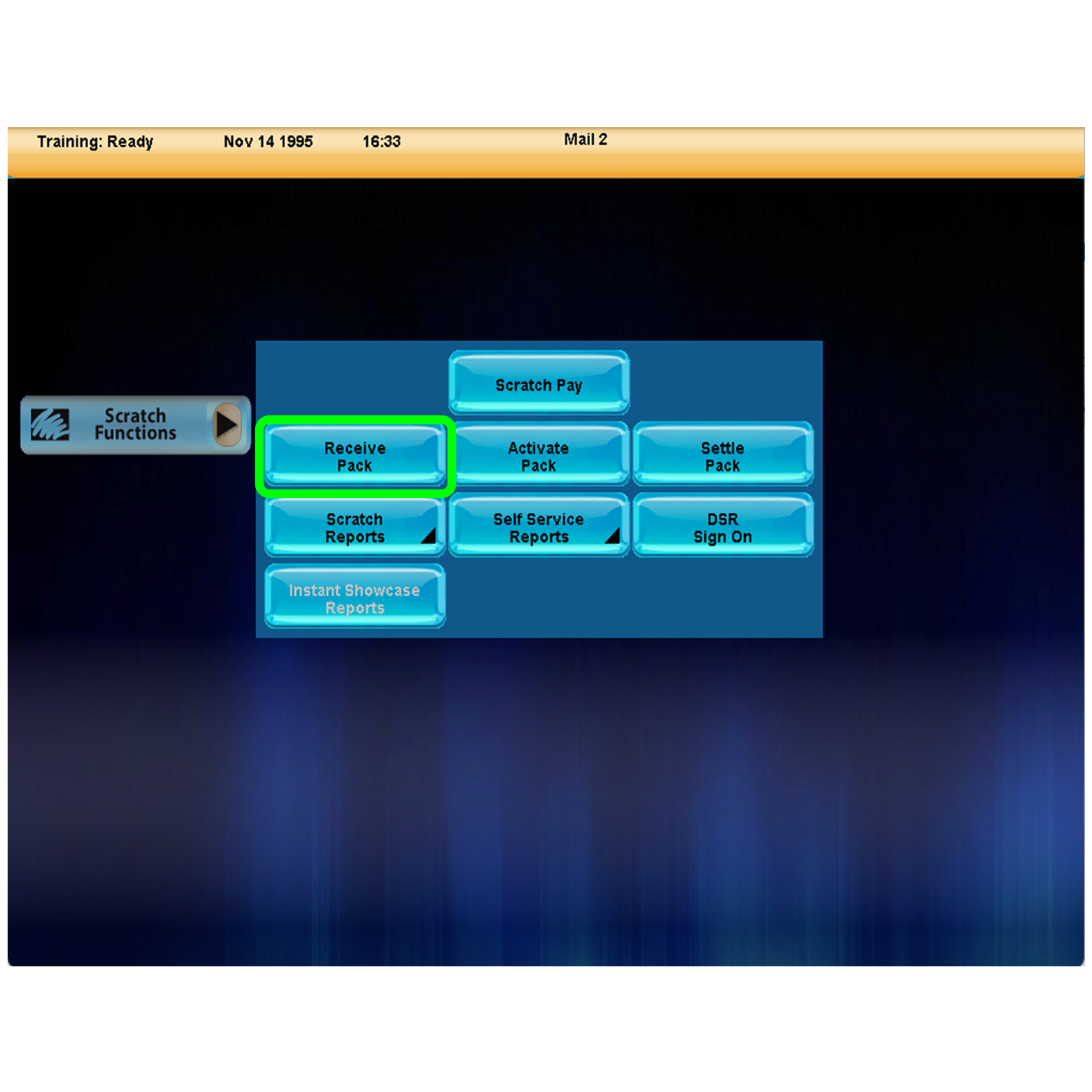
Touch Recieve Packs.
-
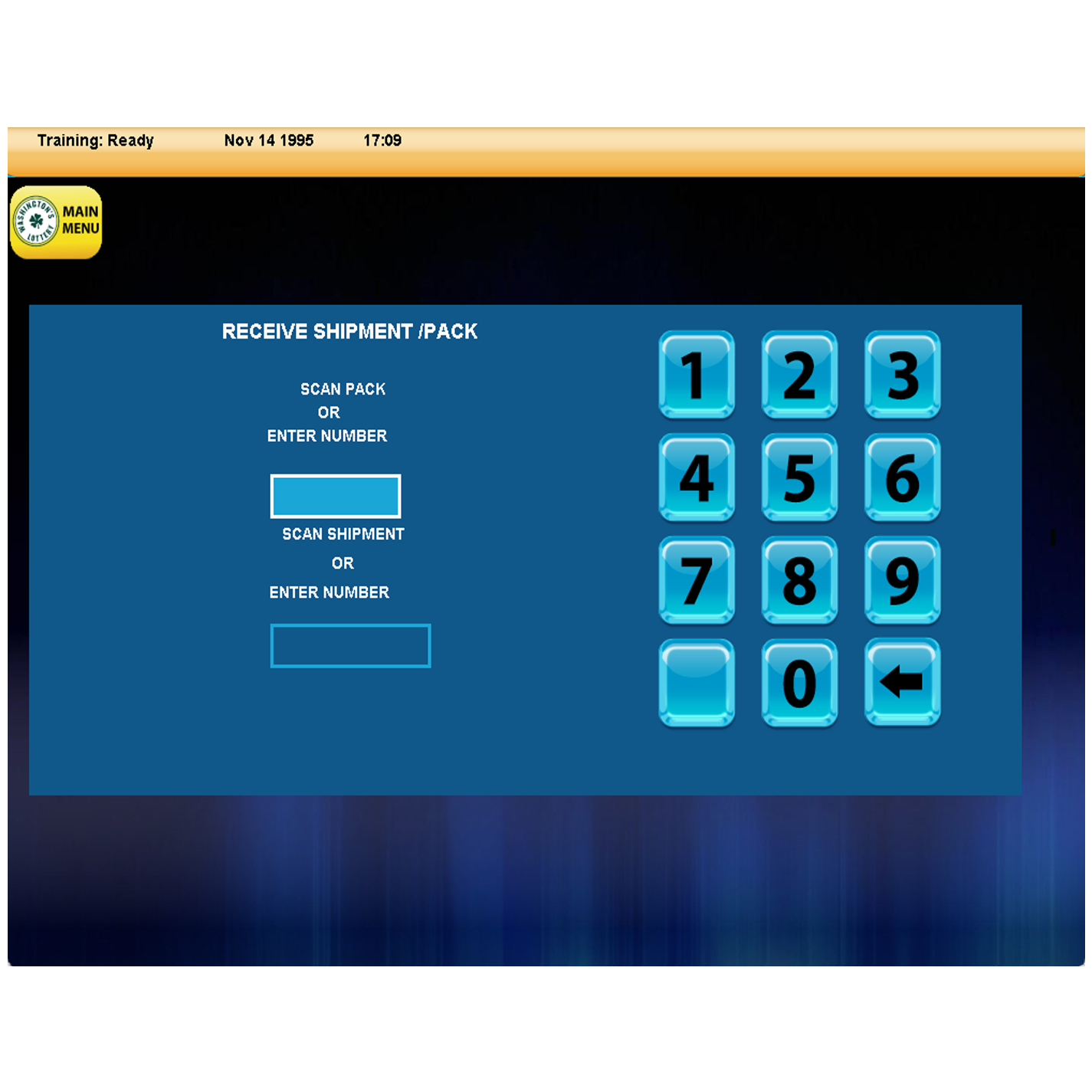
Scan barcode on shipment insert or pack of tickets to receive entire order automatically. Retailers may also enter in game and pack number using the numeric keypad.
-
To Receive Entire Shipment, scan the Shipment Inventory Slip Barcode
-
To Receive a Single Pack of tickets, scan the Packing Barcode.
-
-
Touch Send.
-
Touch OK to return to the Home Screen.
Unable to Receive Packs
If unable to Receive Packs for any reason:
Contact the WA Lottery Customer Service at 1-360-810-2842