GT Printer - Change Paper

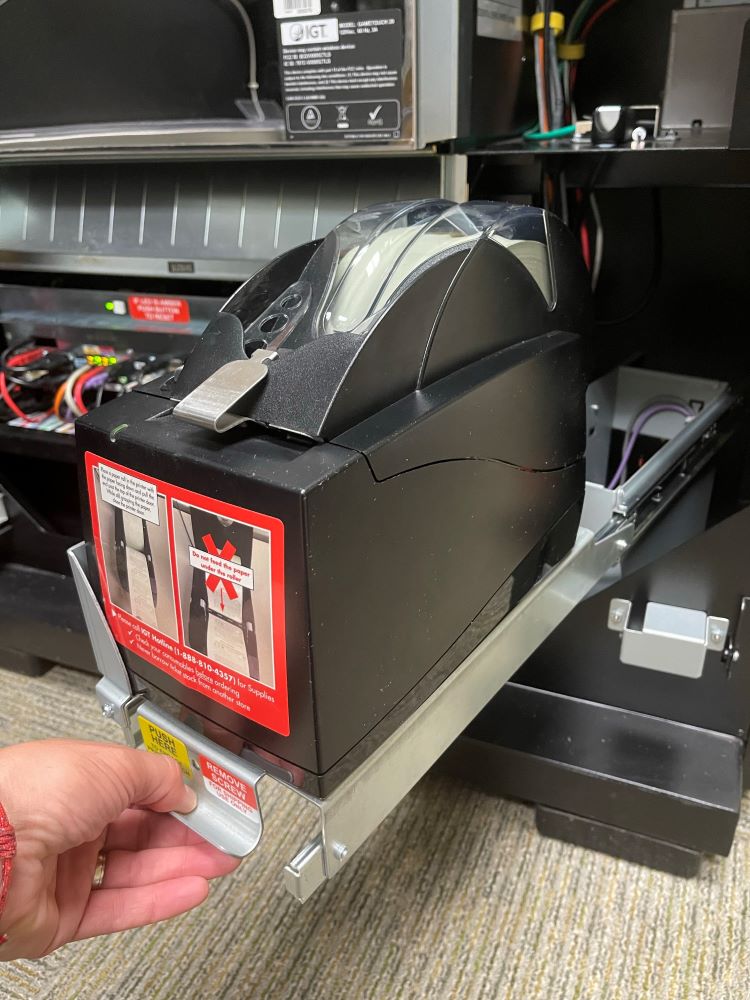
  1. Using the Pull Handle, slide the Printer tray forward.
    Gt20 Printer Pull handle slide the Gt20 Printer tray forward
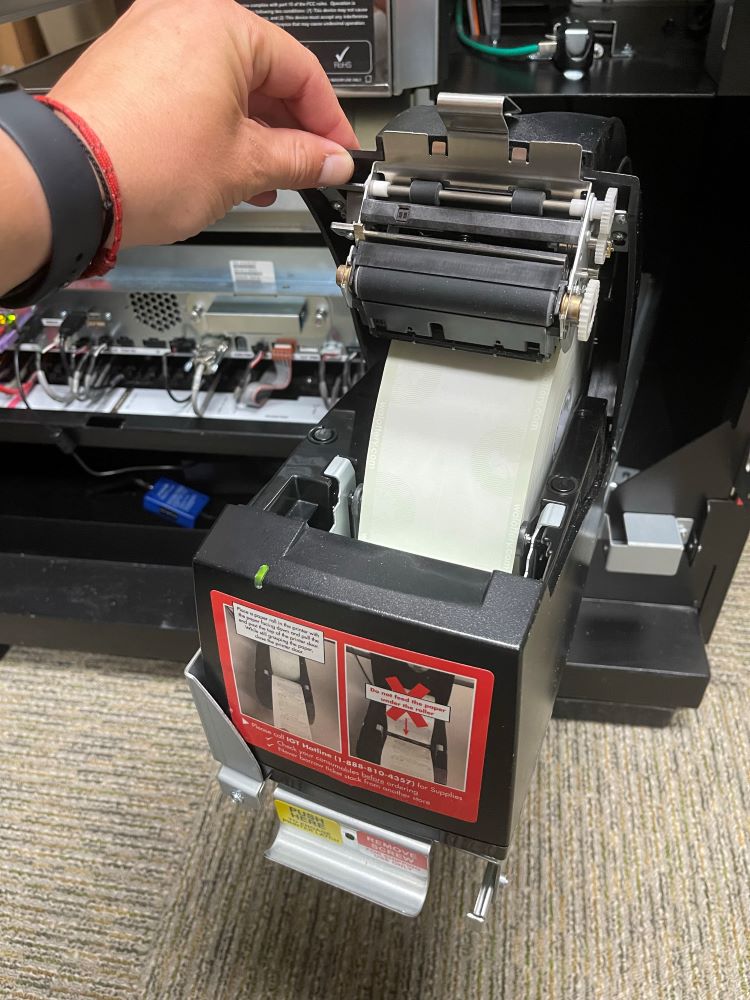
  2. Press Gray buttonon the top of printer and lift to open lid.
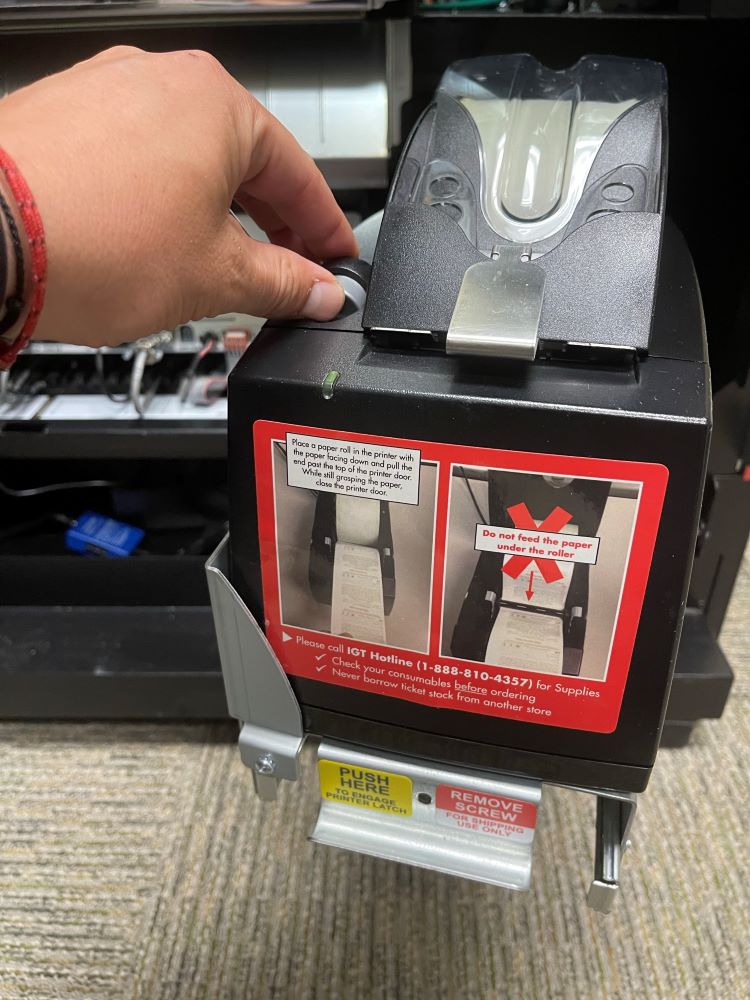
    press the grey button on the Gt20 Printer  after pressing the grey button on top of the Gt20 Printer lift the lid
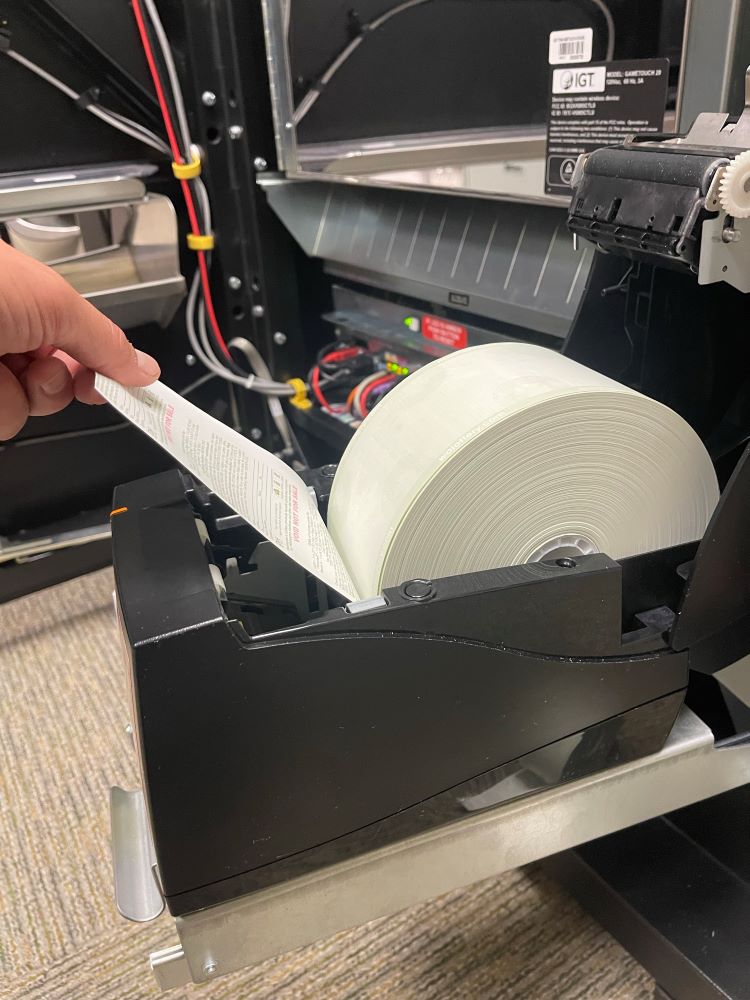
  3. Place Thermal Paper into Printer and pull paper up and Over the Roller.
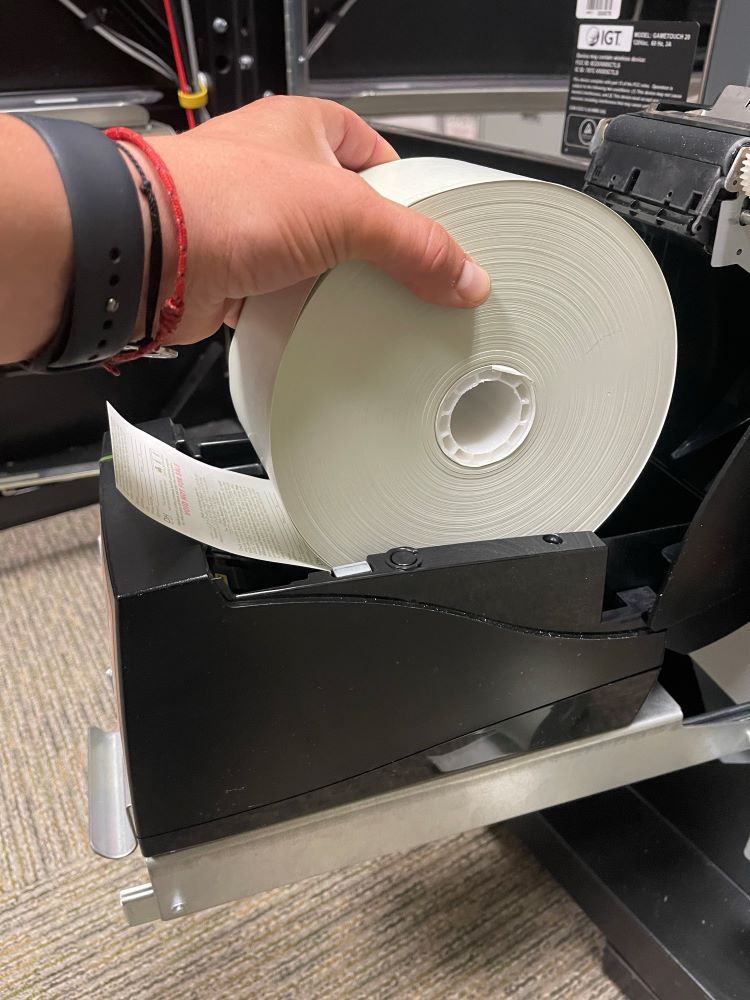
    place thermal paper into the Gt20 Printer  pull the paper up and over the roller on the Gt20 Printer
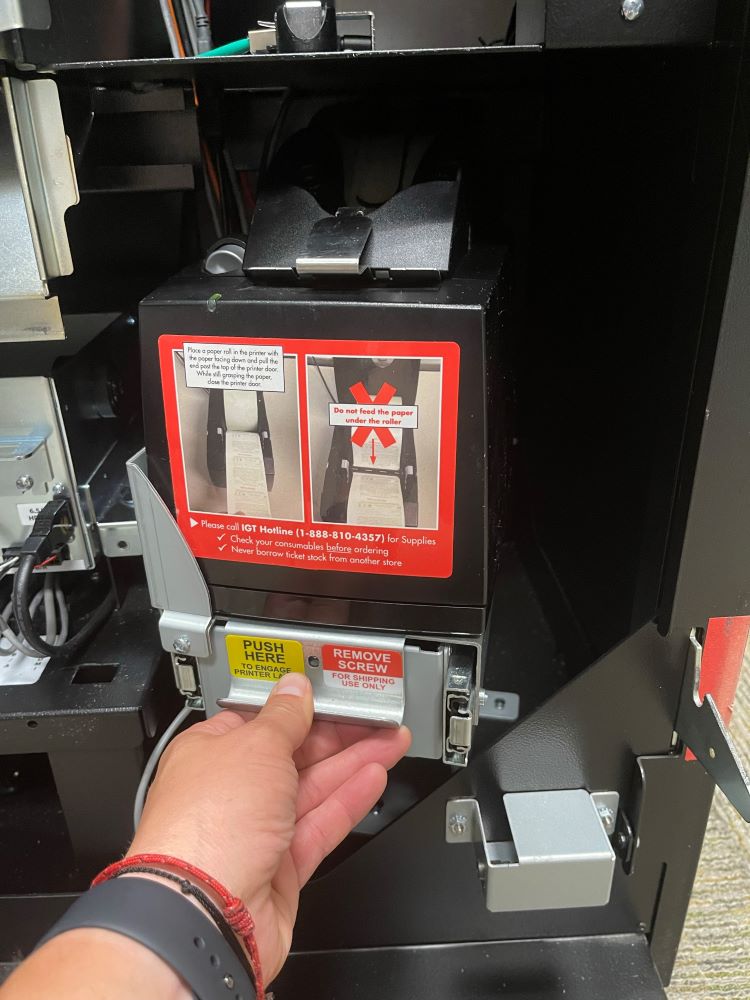
  4. Close Printer. The Printer will automatically begin to feed paper through once the lid is closed.
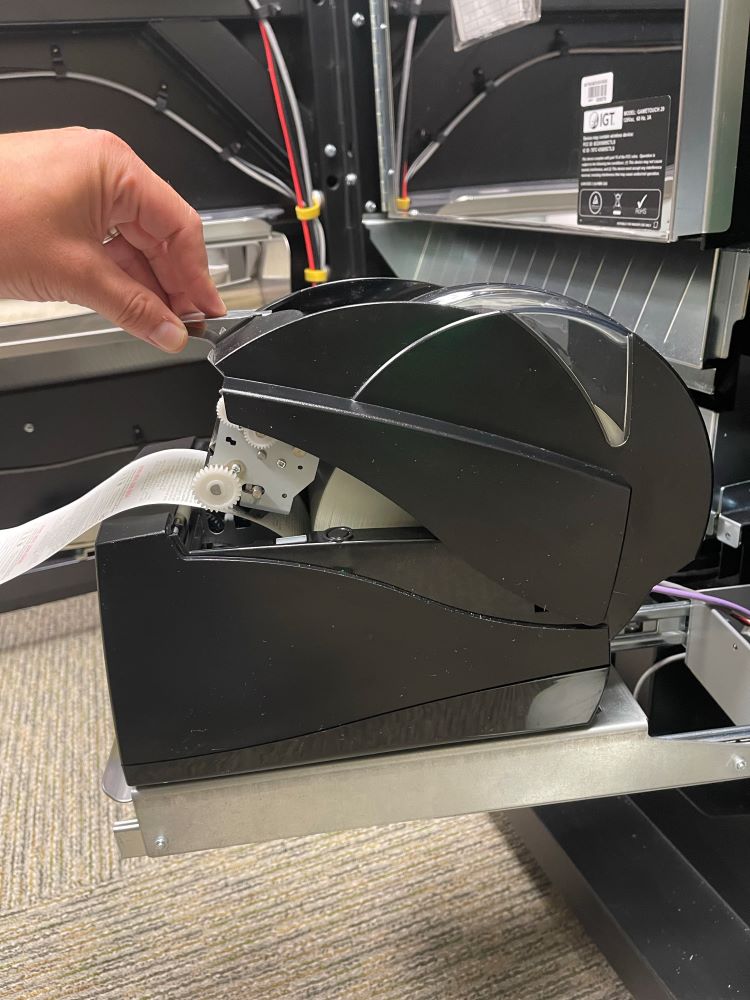
    close the Gt20 Printer to begin automatically feeding paper through