
Jackpot Reports
Retailer Best Practice:
- Retailers should print a copy of the Jackpot Report each morning and place on or around the GT1200 retailer terminal and monitor.
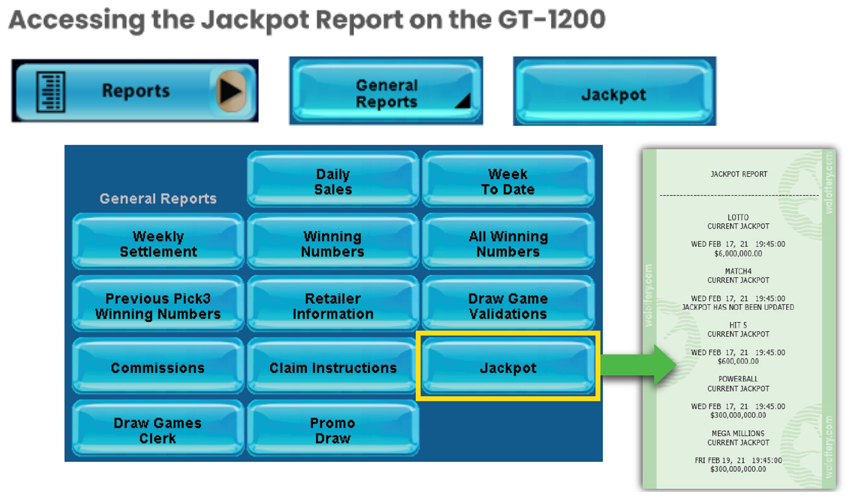
For more information about the Jackpot Report:
Confirmation Screens and Refunds
Confirmation Screens – Prior to Completing a Transaction
- A confirmation screen will be presented on the GT1200 terminal prior to completing any off the following transactions:
- Powerball – Purchases $20 or larger
- Mega Millions – Purchases $20 or larger
- Cash POP – Purchases $20 or larger
- Raffle – All purchases.
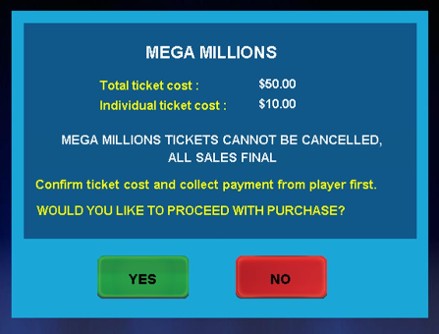
BE ADVISED: Retailers may not be credited a refund for misprinted tickets generated by retailers who override the confirmation screen.
New Terminal Stickers
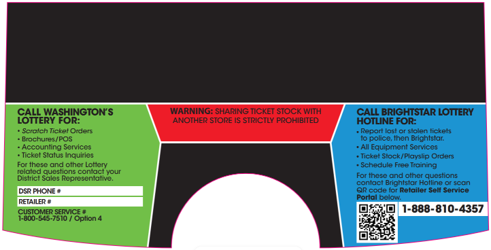
- Starting February 2026, Brightstar Lottery will be replacing the existing Resource Terminal Stickers on the GT1200 retailer terminals.
- Please Note: The new stickers will have the QR code to quickly access the Retailer Self-Service (RSS) website.
Gemini Touch Receipt Project Team
- Shift Report – Reprint Option
- New : A Last Shift Report button has been added to the reprint screen.
- Retailers are now able to reprint a shift report that was previously cleared.
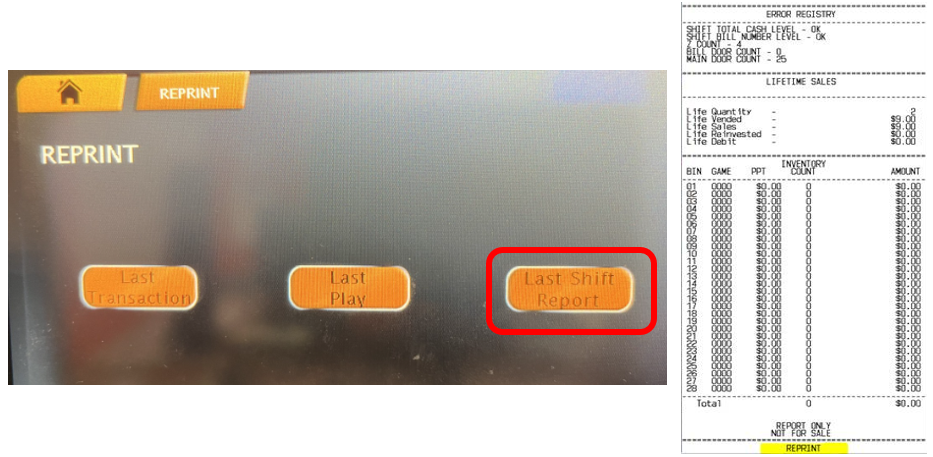
NOTE: The Reprint Shift report is available until the next shift is cleared. After the Shift Report is cleared, the reprint shift report is updated with latest report information.
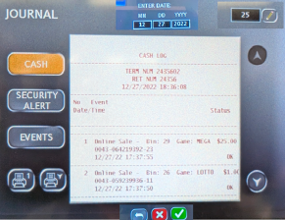
Cash Log – Adding Session ID
A date field has been added to the Cash Log screen, allowing users to input a specific date to investigate a specified incident, up to 12 days prior.
- If a user chooses to enter a date, the Cash Log shall return all transactions for the selected day
- If no date is input, the Cash Log shall default to the count option, and the information retrieved shall correspond to the count value in that field.
Note: The option to retrieve the Cash Log via scanning a barcode shall remain. The rules for not entering a date should apply the same here
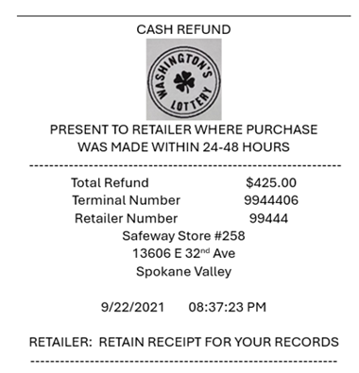
New Cash Refund Slip:
UPDATE THE REFUND SLIP TO CASH REFUND
- Added store name and address
- Added Statement for retailers to retain receipt
Current and Upcoming Promotions
- Stacks of Scratch
- Buy a $5 Mega Millions ticket and mail-in the trailing voucher for a chance to win Stacks of Scratch!
- Promotion Runs: April 12 – June 6, 2026
- Two Drawings: May 13th & June 17th
Game Closures
- Retailers should set full packs aside for their DSRs to pick up:
- 1946 - $10 Triple Cash Payout
- 1982 - $5 $500 Frenzy
- 1984 - $20 $2,500 Frenzy
- 1801 - $30 Serious Money
- 1944 - $3 Jackpot Bingo
- 1985 - $30 $5,000 Frenzy
- 1993 - $3 Crabby Crossword
- 1975 - $5 Payday
- 1986 - $1 Winner Winner Chicken Dinner
- 1948 - $20 Loteria Super Grande v4
- Please Note: All game closures are communicated to Retailers using the GT1200 Mail Message.
Retailer Self-Service (RSS) Website
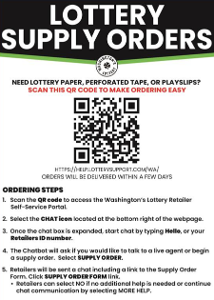
Order Supplies at the Touch of a Button
- Retailers are encouraged to utilize the online Supply Order system found on the RSS website:
- For more information on the online supply order process, or to download the RSS quick reference card, please visit:
Thank you, Washington’s Lottery Retailers, for your continued support!