
Draw Functions Pay
The Pay Draw Games Function on the GT-1200 terminal is used to validate and payout on winning Draw Game tickets.

Draw Game Validation and Payout Process
- Access the Draw Game Pay button as described above. The Validate window will appear.
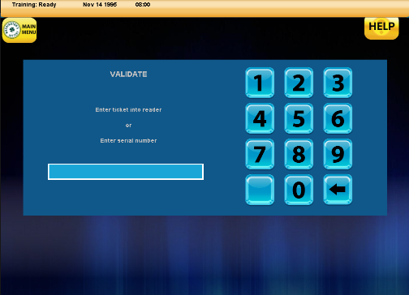
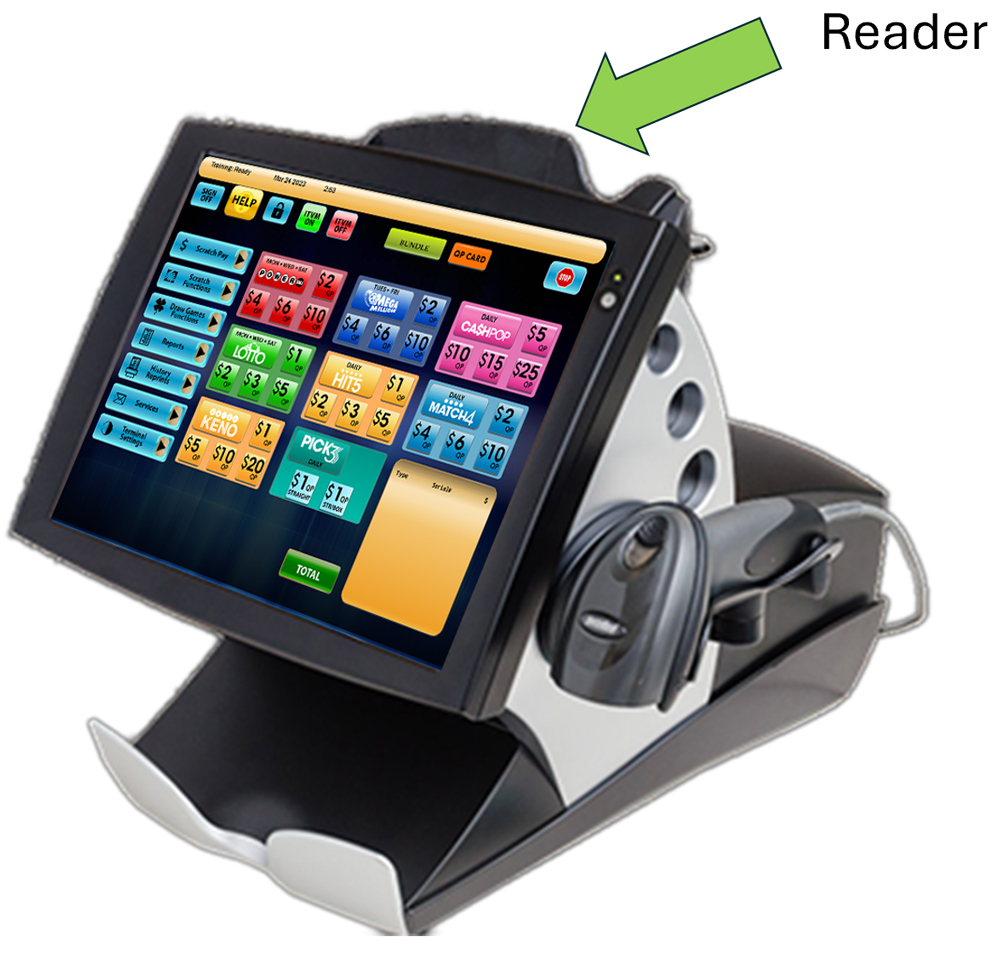
- With the Validate window open, Retailers can either enter the Draw Game ticket into the GT-1200 reader on top of the machine or manually enter the Draw game serial number.
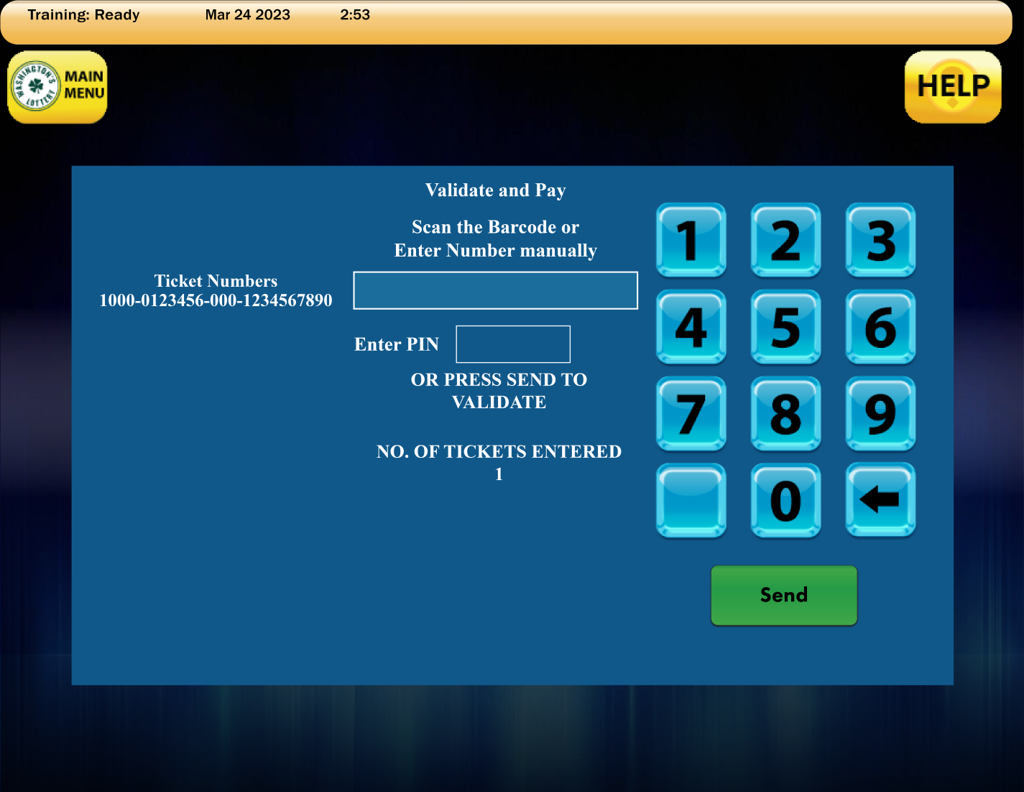
Scanning Draw Game Tickets
Retailers can utilize the GT-1200 Ticket Reader located on top of the terminal machine to quickly scan and validate tickets.
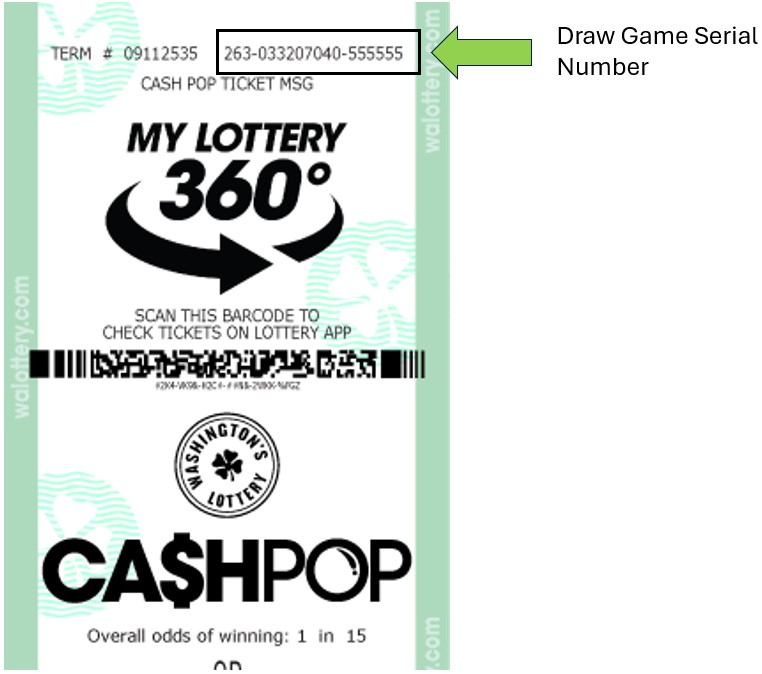
Manual Serial Number Entry
Retailers can also manually enter the serial number of a Draw Game, located at the top of each ticket.
3. After scanning or manually entering a Draw Ticket, press SEND. 
Winning Ticket – Draw Game Validation and Payout
- If a winning ticket was entered, a SCRATCH VALIDATION receipt will print from the GT-1200.
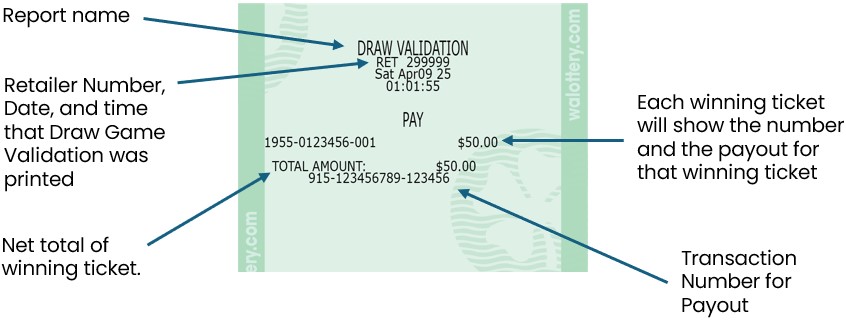
- For validations totaling from $101 up to $600, a confirmation screen displays.
- Retailers must ensure enough cash is available to payout tickets before they are validated.

- Retailers must ensure enough cash is available to payout tickets before they are validated.
- Touch Yes to validate.
- Before paying a prize, Retailers must validate all tickets.
- Retailers MUST PAYOUT AT TIME OF VALIDATION.
- Touch No to cancel.
NOTES:
- Retailers must ensure that they have enough cash on-hand to pay out any validated ticket under $100.
- For prizes over $600, Claim Instructions print automatically.
If the ticket will not validate for ANY reason, it must be returned to the player and have player contact the Lottery for instructions.