Reader Problems
-
Verify playslip is filled out correctly and correctly inserted into the reader.
-
Advise customer to fill out another playslip, if needed.
-
Open a new pack of playslips, if needed.
-
-
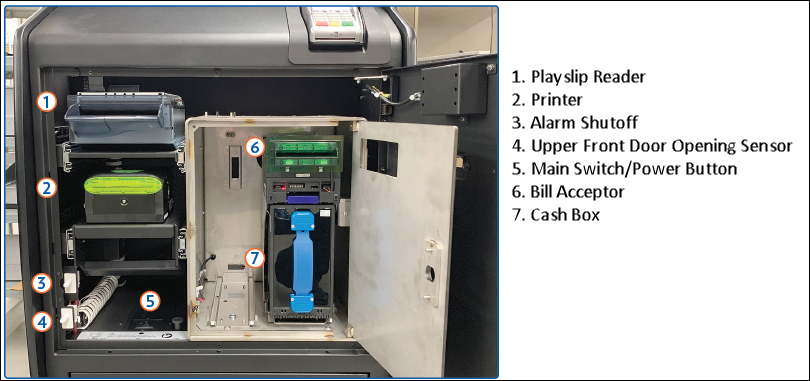
Open main access door and sign onto the GTD to silence the alarm.
-
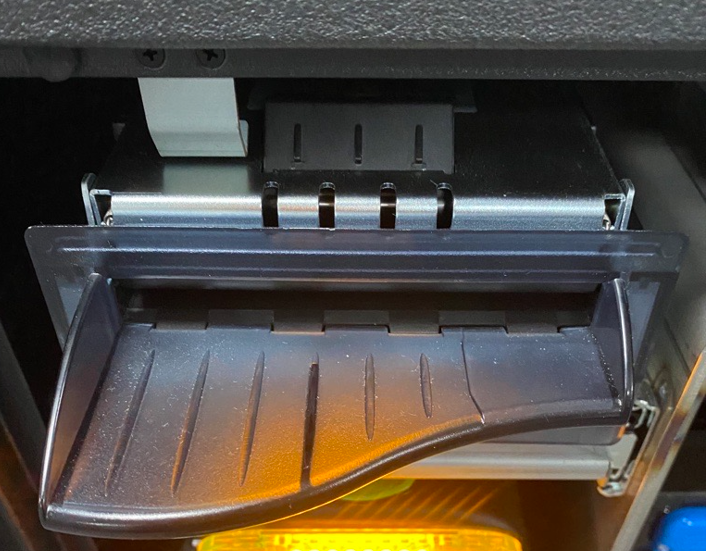
Gently press together the silver latch located at the top center of the reader, and lifting the reader door.
-
Clean lens.
-
Use isopropyl alcohol or non-ammonia based glass cleaner.
-
Never use a dry cloth.
-
-
Wipe rollers.
-
Use soft - dry cloth.
-
-
Close reader door, reader drawer and then close/lock the door.