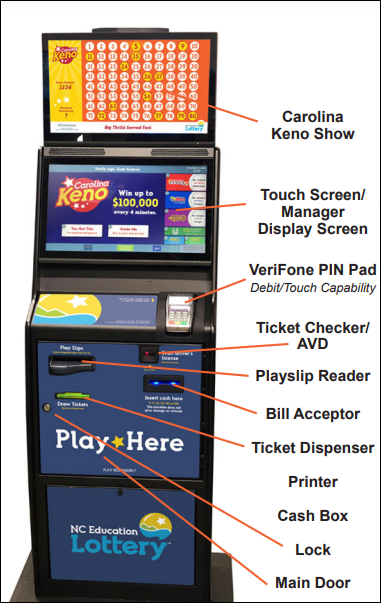
Touchscreen / Display Troubleshooting
-
Verify power to terminal.
-
If no power, unplug terminal power cord from outlet and plug a small appliance into outlet (i.e. radio, adding machine, etc.) to confirm functioning outlet.
-
-
Power reset by toggling the ON/OFF switch located inside of the terminal (black switch located on right hand side of two white switches)