
Ticket Inquiry & Paying Winners
Scratchers and Draw Games tickets can be inquired (checked) to see if they are winners and/or paid using one of the following options:
Scan the Barcode
*this option should only be used if you are able to pay the player the full amount of their winnings.
- Simply scan the ticket barcode found under the Scratchers ticket latex or bottom barcode on the front of draw ticket while on the home screen. If a winner, please pay player.
Any Ticket Inquiry
*this option should be used to verify the winning amount of the ticket to ensure you are able to pay the player the full prize amount.
- Select Inquire Ticket.

- Select Draw Games OR Scratchers.

- Scan the barcode or enter the ticket number manually.
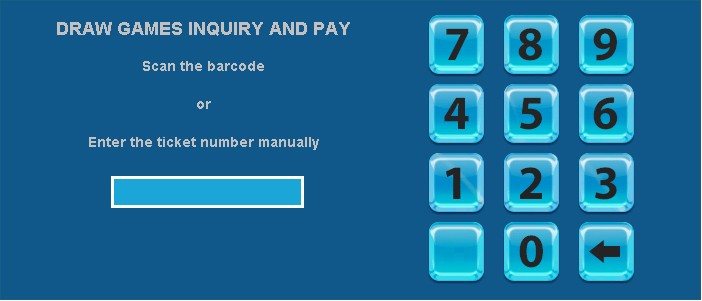
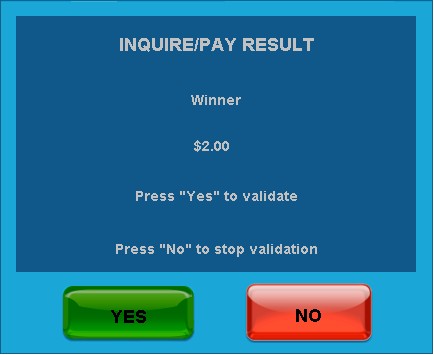
- If the ticket is a winner, you can Press “Yes” to validate and pay the prize, or you can Press “No” to stop validation and return winning ticket to the player.
Pay (Validate) Winning Ticket
*this option should only be used if you are able to pay the player the full amount of their winnings.
- Select Pay Ticket.

- Select Draw Games or Scratchers.
- Scan the Barcode or Enter Number Manually.
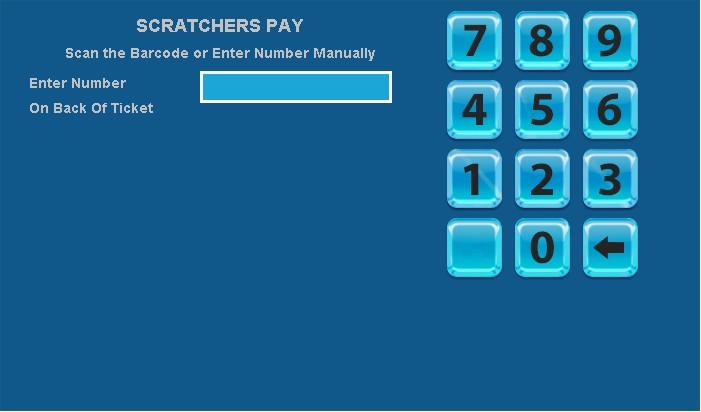
- Pay Player if a winning ticket.
Scratchers Only Inquiry and/or Pay
- Select Scratchers from the Home screen.

- Select Scratchers Pay OR Scratchers Inquiry.

- Scan the Barcode or enter the ticket number manually.
- If you chose Scratchers Inquiry, and the Scratchers ticket is a winner, you can pay the customer the full prize by choosing to pay the winner or if you have additional Scratchers to inquire upon, you can select Another Inquiry.
Validation Error Messages
ALREADY CASHED BY ANOTHER TERMINAL
- This message displays when a validation attempt is made on a ticket that was previously paid by another terminal.
ALREADY CASHED BY THIS TERMINAL
- This message displays when a validation attempt is made on a ticket that was previously paid by your terminal.
NOT A WINNER
- This message displays when a validation attempt is made on a non-winning ticket.
TICKET EXPIRED
- This message displays when a validation attempt is made on a ticket that is expired.