Validation Process
NOTE: Scratchers may be validated by scanning the PDF or Scratcher Barcode from any screen.
Validate Instant Tickets & Pull Tabs
- Touch Validate on the Home Screen
- Touch Instant/Pull Tab Ticket button
-
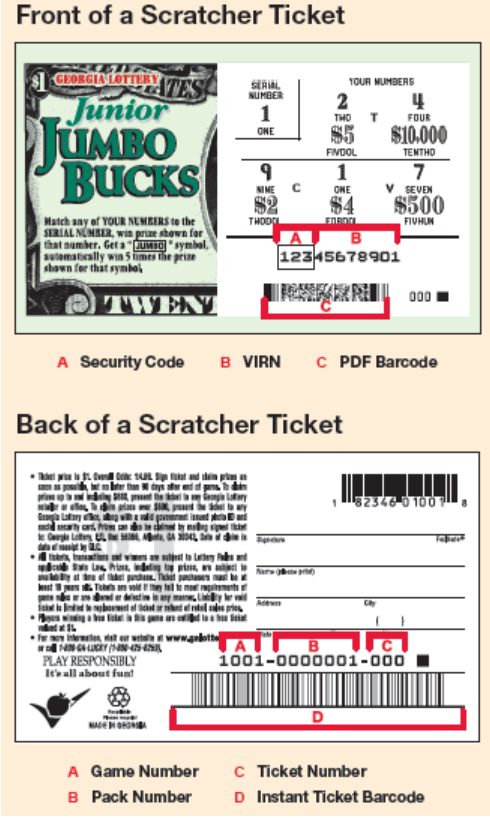
Scan the ticket barcode, located in the play area section on the front of the ticket with the barcode scanner.
OR
Scan the barcode on the back of the instant ticket using the Reader and enter the 5-digit VIRN number (under the latex) using the numeric keypad.
OR
Manually enter the ticket control number and the 5-digit VIRN using the numeric keypad.
4. Touch Send
Manual Entry
Enter Game, Pack, TKT and VIRN information to validate a Scratcher ticket manually.
- From the Home Screen, Touch Validate
-
Touch Instant ticket
-
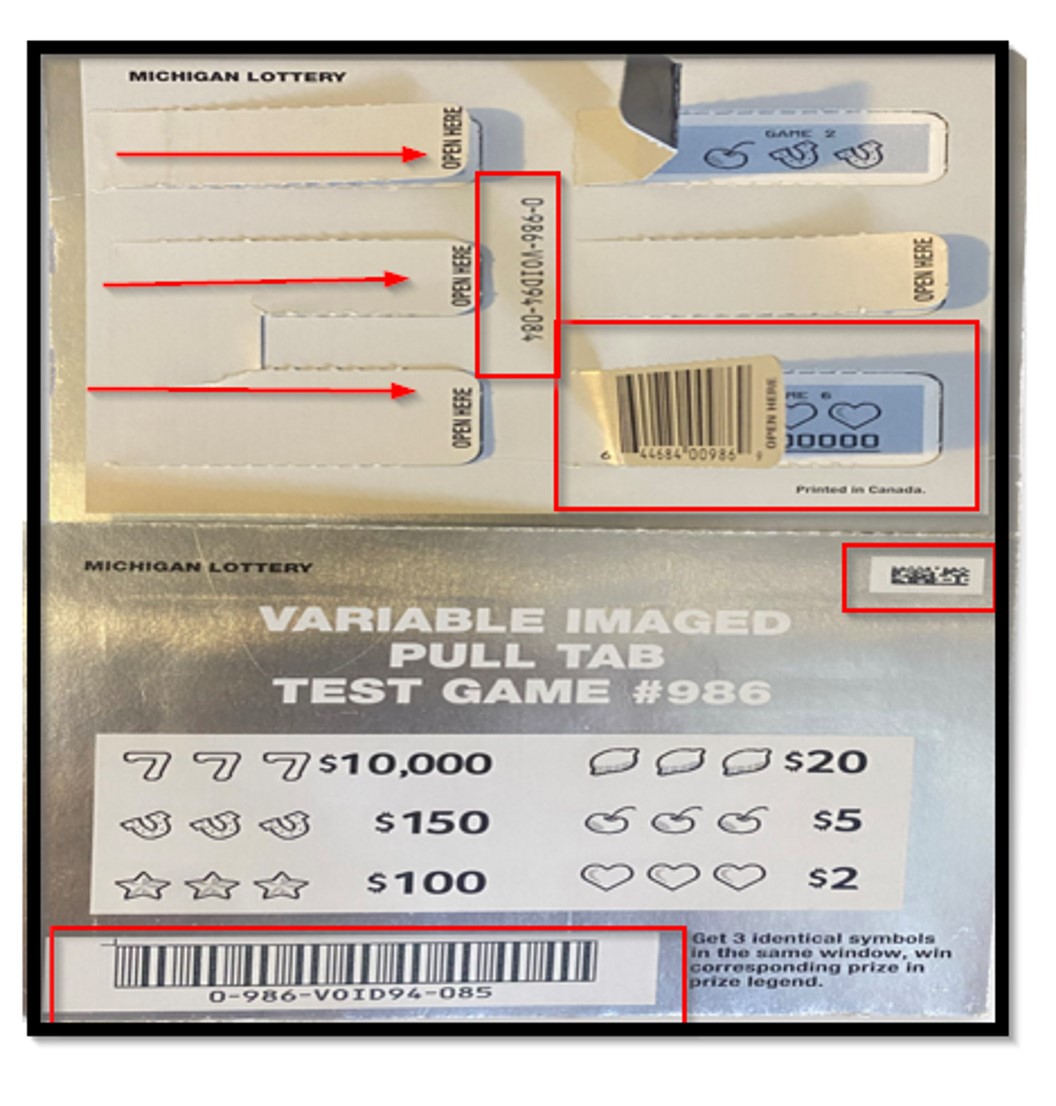
Manually enter the 16 digit barcode
- The barcode on the back only has 13 digits; the last three used (to make 16) are located before the 5 digit VIRN on the front of the ticket.
- Always enter the leading 0. Example: 0-901-000016-003-901
- The barcode on the back only has 13 digits; the last three used (to make 16) are located before the 5 digit VIRN on the front of the ticket.
-
Then enter the 5 digit VIRN (underneath the latex on front of ticket) numbers (01810)
-
Touch Send
Note: If the instant ticket is missing part of the VIRN number then the customer needs to take the ticket to a Lottery Regional Office
Instant Ticket