
Cradlepoint E100
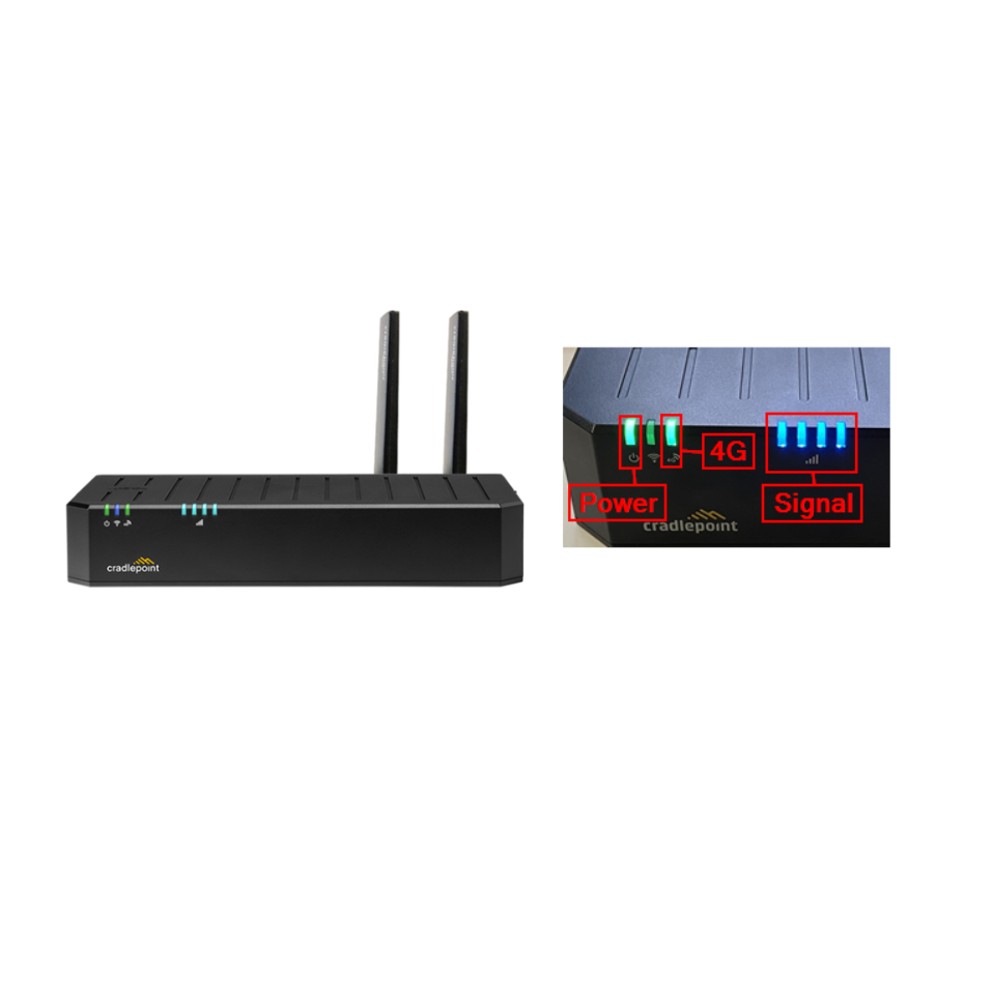
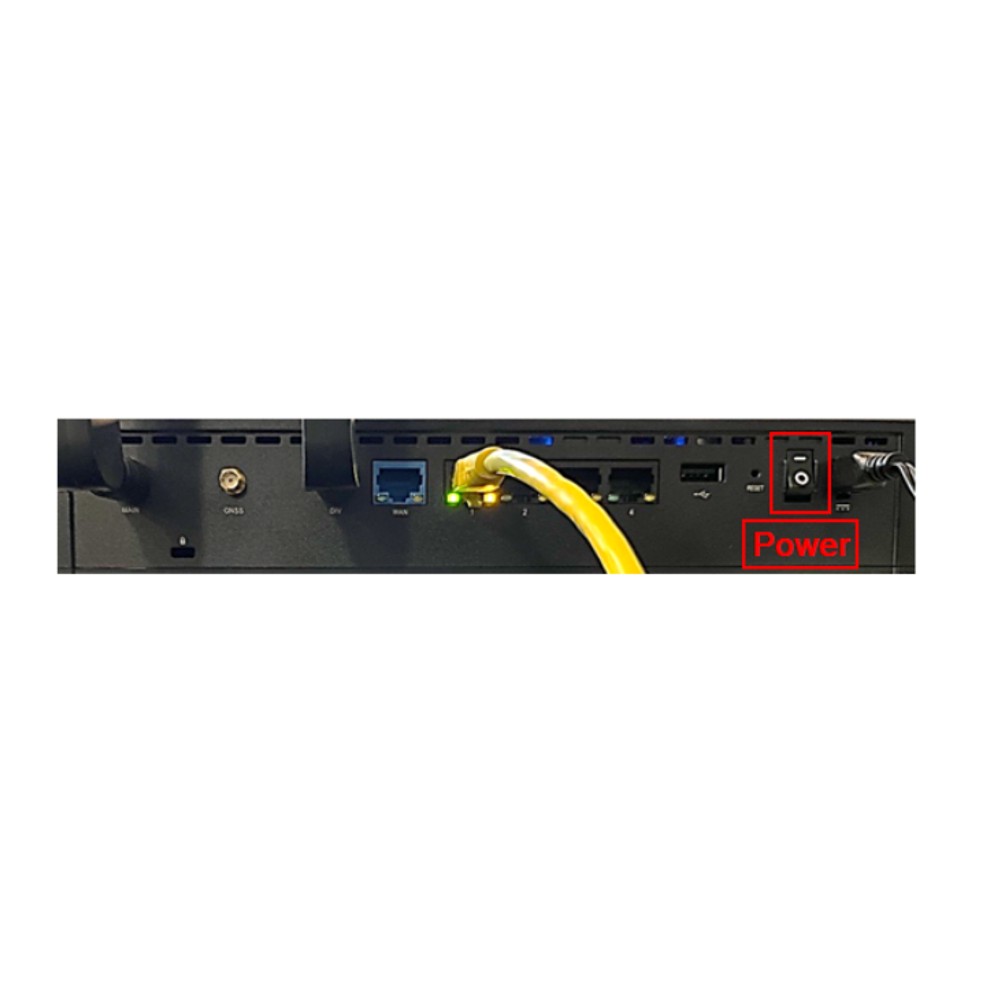
1. Verify power to the Cradlepoint. If there is no power:
- Check connections to the Cradlepoint and verify the power switch on the back is in the on position.
- Test the power outlet: Unplug the Cradlepoint power cord and plug in a small appliance to verify power (i.e. radio, charger, etc).
2. Secure connections to the Cradlepoint, and terminal.
- Active LAN ports on the Cradlepoint will have a green or yellow light where the ethernet cable is plugged in. If there is no light, one side of the cable is not being seen. The terminal could be powered off or the connection may be loose.
3. Verify the lights present on the Cradlepoint. The Cradlepoint should always have a green power light. The 4G light may or may not be lit. The blue signal bars will vary with 1-4 lights on.
4. Power off the terminal using the toggle on the back or by unplugging the power cord from the outlet.
5. Power off the Cradlepoint using the switch on the back. If necessary, the power cord can be unplugged from the outlet.
6.Wait at least 30 seconds and then power on the Cradlepoint. The lights may vary in color or blink during start up.
7.Power on the terminal.
The Cradlepoint may take 10-15 minutes to completely reboot.
Ericsson S400
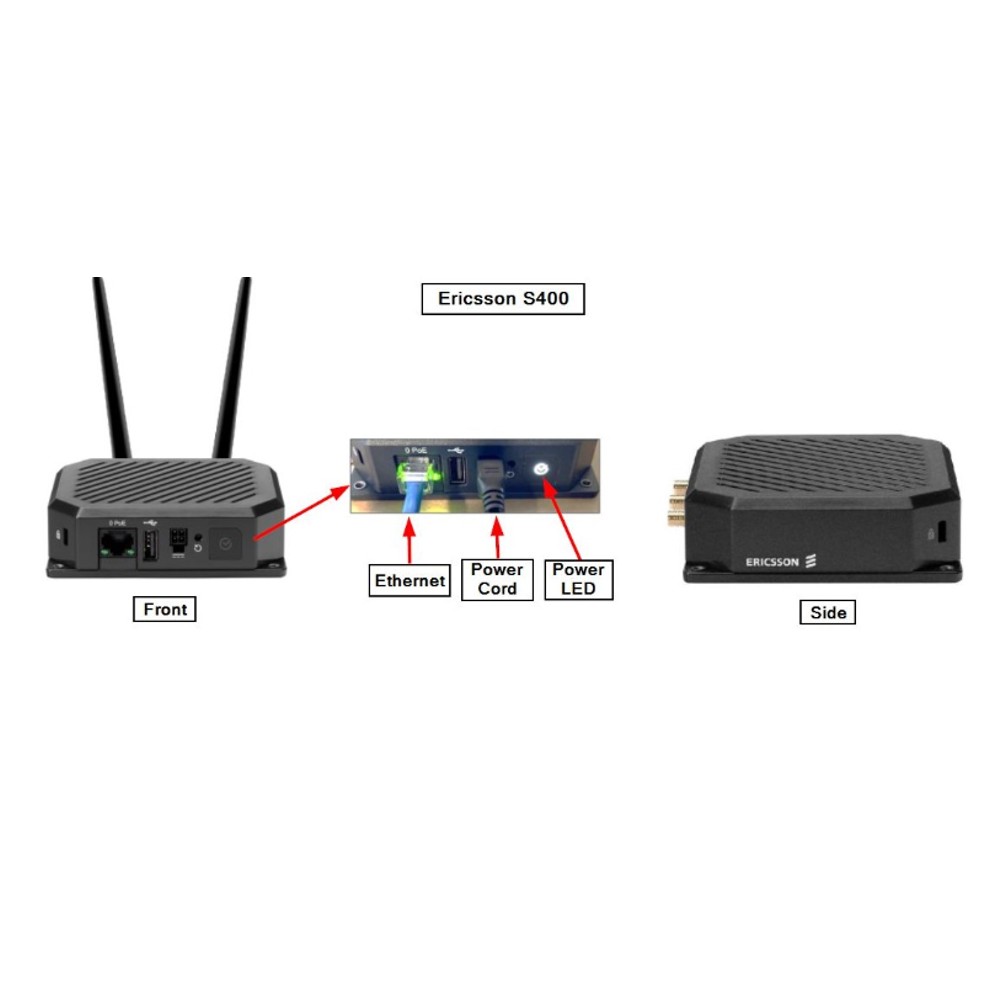
Verify the Ericsson Router has power by checking if the power LED is lit.
If the Ericsson Router “IS NOT” getting power:
1. Ensure Ericsson Router power supply is plugged into an electrical outlet; verify power to electrical outlet using a small appliance, radio, etc.
2. Try a different outlet.
3. Check the Circuit Breaker.
4. If power is verified to the outlet and the power LED light is not on - Call the support line.
If the Ericsson Router “IS” getting power:
1. Turn off the terminal by using the toggle on the back or by unplugging it from an electrical outlet.
2. Unplug the Ericsson power cord from the outlet. Wait at least 10 seconds and then plug it back in.
- The power LED will blink yellow while resetting, blink white while it connects to the Cloud, and then stay solid white when the reset is complete.
3. Power on the terminal.