Bill Acceptor Troubleshooting
Constant Reject, Jammed, No Response, Intermittent, Incorrect/No Credit, Won’t Accept Denomination
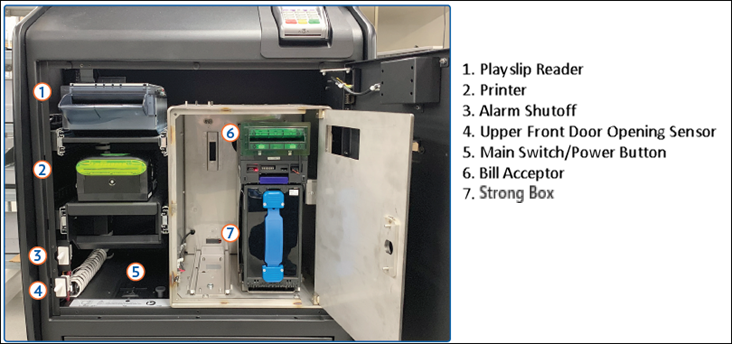
1. To access the Bill Acceptor, open the GameTouch Draw Main Door with the key labeled MD.
2. To open the Cash Box, insert the key turn the key clockwise, and pull the door open. (Silence the alarm by pushing in the white switch).
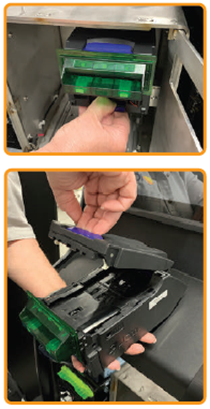
3. Hold down the lever and pull the Bill Acceptor out.
4. Pull the blue handle up to open the Bill Acceptor cover
6. Remove the jammed bill (if applicable)
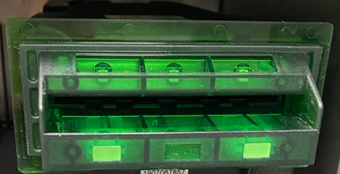
7. To clean the Bill Acceptor, use a soft dry, clean cloth, lightly dampened with clean water and wipe both the top and bottom clean.
8. Place the Bill Acceptor back into the terminal to return it to its original position.
9. Close and lock the Strong Box, then close and lock the Main Door.